What Is Phishing? Definition, Examples & How to Avoid Attacks


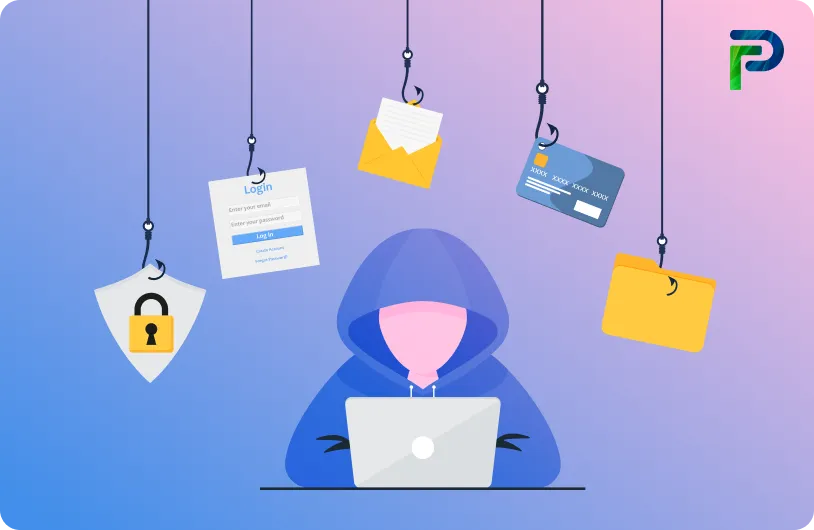
Phishing is one of those cyber hazards that appears easy but causes huge damage because it targets humans rather than technology. It reaches you via emails, SMS, phone calls, or bogus websites that appear to be authentic. The goal is to trick you into trusting the sender enough to reveal something important, such as a password, bank information, or login credentials. Unlike other cyberattacks, phishing does not require breaking systems. It only relies on manipulating your trust.
From the blatant spam emails we once saw, phishing attacks have advanced significantly. These days, we have to deal with spear phishing, whaling, smishing, and vishing, all of which are meant to feel intimate. Attackers rely on psychological manipulation and urgency to trick users into clicking malicious links or downloading harmful files, which can lead to identity theft, financial fraud, or even major organizational breaches. At the core of these attacks is the intent to lure individuals into sharing confidential information such as login credentials, financial details, or personal identifiers, which can later be exploited to break into critical accounts and cause serious financial or reputational damage. The strategy keeps evolving, but the goal remains unchanged: to deceive the user and gain access.
The APWG Phishing Activity Trends Report states that in 2023, there were 5.4 million phishing attacks, the largest amount ever documented in the sector. The favorable news? Before they do any harm, you can learn to recognize and thwart these attacks. We'll go over how phishing truly operates, the most prevalent kinds that target users nowadays, and doable actions you can take to safeguard your company and yourself from credential-based risks in this tutorial.
Key Takeaways:
- Learn what is phishing and why it targets human trust.
- Understand how phishing attacks unfold from messages to data theft.
- Explore different types of phishing like spear phishing, whaling, smishing, and vishing.
- Recognize red flags in emails and messages to spot phishing attempts.
- Discover practical ways to protect yourself and your organization from phishing.
What Is Phishing?
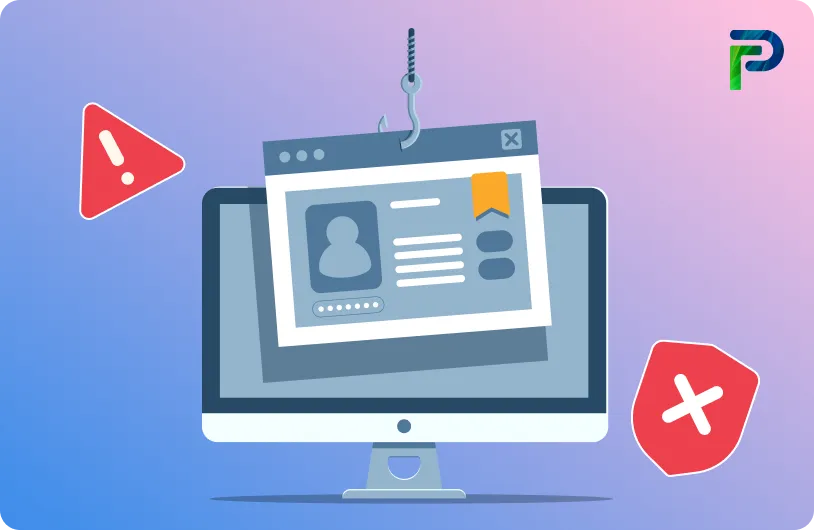
Phishing is a cyber scam where attackers pose as trusted or legitimate organizations to trick users into sharing personal information or clicking on malicious links. At its core, phishing is a type of criminally fraudulent social engineering that manipulates human trust to achieve its goal. Unlike technical attacks that exploit software vulnerabilities, phishing relies on human trust and social engineering. These messages often mimic banks, workplaces, service providers, or familiar contacts to appear credible. A common example is a fake login page created to steal usernames and passwords.
Here is a simple breakdown to understand what phishing really means:
1. How Attackers Trick Users
Phishing messages are written to create urgency, fear, or curiosity, which prompts users to act without verifying authenticity. They may instruct you to verify your account, reset a password, or confirm personal details. Attackers often link victims to fake websites that closely resemble real ones. Once the user enters information, the attacker immediately captures it.
2. What Phishers Want to Steal?
Attackers target valuable data such as passwords, credit card numbers, bank account details, and other personally identifiable information (PII). They also look for access to email accounts or business systems that can be used to escalate the attack. Even a single set of stolen credentials can open the path to bigger compromises. This stolen information often fuels identity theft and wider security breaches.
3. Why Phishing Is Dangerous?
Phishing is dangerous because it bypasses technical controls and focuses entirely on human behavior, which is often the weakest point in security. A successful attack can lead to malware infections, financial loss, or account takeover. In businesses, phishing can compromise entire networks or sensitive customer information. This is why phishing continues to be the starting point for many large-scale identity and data breaches.
How Does Phishing Work?
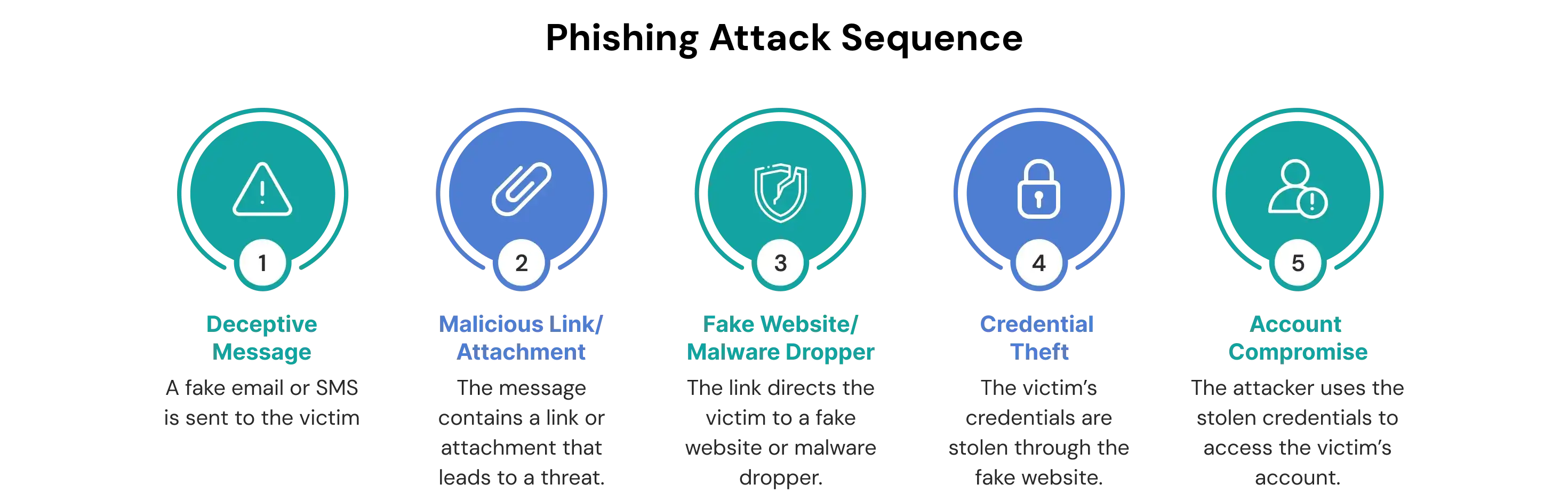
Phishing works by imitating trusted sources to prompt users into clicking a link or sharing information. Once they interact, attackers collect credentials or deploy malware to gain access.
To understand how phishing works, let’s look at its core stages:
Step 1: Deceptive Communication
Phishing begins with a message that imitates a legitimate organization such as a bank, HR department, or online platform. Attackers often use techniques like email spoofing, domain spoofing, and scraped contact information to make the message look real. These messages may warn about unusual login activity, payments, account suspension, or benefits updates. The goal is to push the user into taking quick action without questioning the source.
Step 2: Malicious Link or Attachment
The phishing message usually includes a link or attachment that contains hidden risks. Malicious links may lead to fake websites designed to steal usernames and passwords. Attachments such as HTML files, Word documents with macros, or JavaScript files can drop ransomware or credential-stealing malware. Attackers also use AI-generated content to create polished and error-free messages that easily bypass spam filters. One click is often all it takes to reach the credential-harvesting or malware-delivery stage.
Step 3: Fake Website or Malware Dropper
If the victim interacts with the message, they are sent to a fake login page or triggered to open an infected attachment. These fake websites copy the layout of real platforms like PayPal, Microsoft, banks, or corporate portals. Malware droppers may install keyloggers, remote access tools, or trojans that spread across the device.
Step 4: Credential Theft or Account Compromise
Once the victim enters information on the fake site or opens the attachment, the attacker immediately collects the data. Stolen credentials allow attackers to perform account takeovers, business email compromises, or unauthorized wire transfers. In larger campaigns, advanced persistent threat groups use this initial access to move laterally inside corporate networks. A single compromised account can escalate into a major data breach.
Common Types of Phishing Attacks
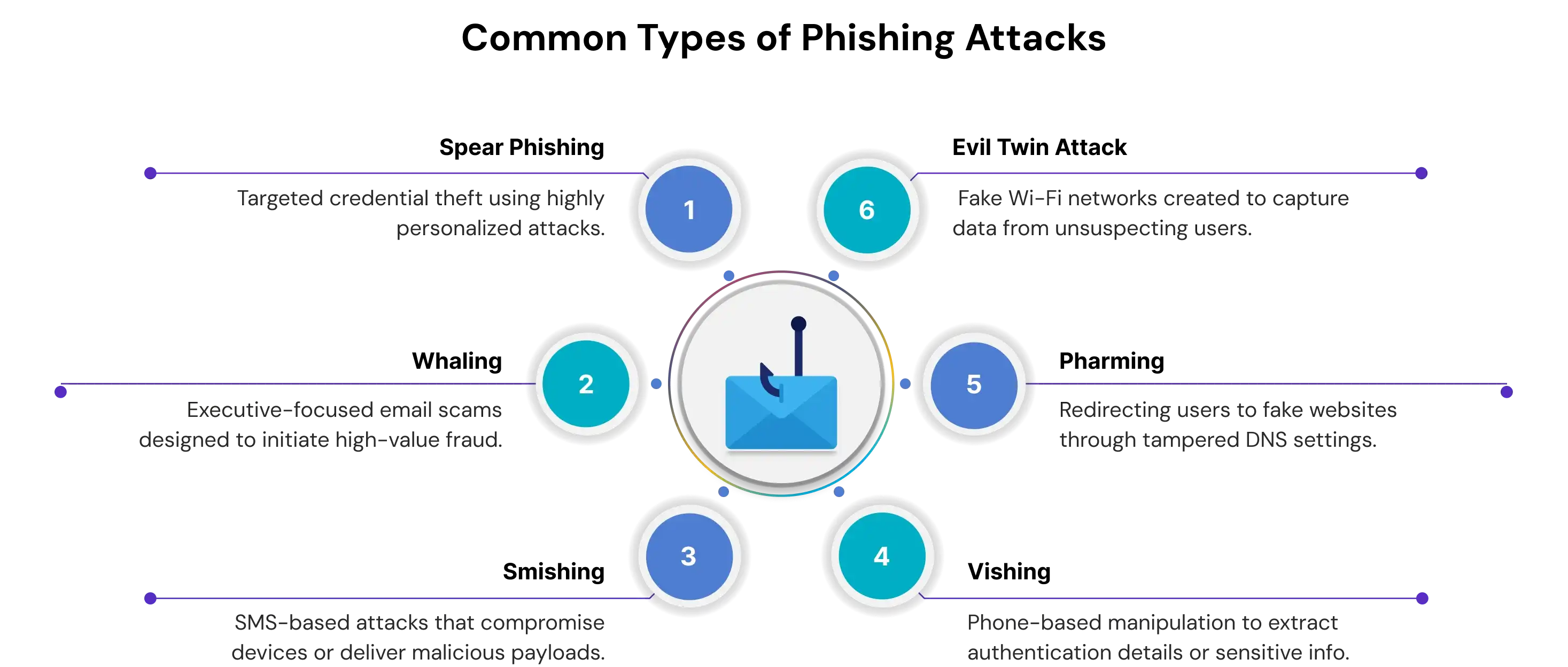
Phishing attacks appear in multiple forms, ranging from broad email blasts to carefully engineered attacks that target high-value individuals. Each method uses social engineering, spoofed communication, and deceptive websites to trick users into sharing sensitive data or downloading malware. Understanding the different types of phishing attacks helps identify early warning signs and strengthens overall cybersecurity readiness.
1. Email Phishing
Email phishing is the most familiar and widespread form of phishing. Attackers send fraudulent emails that look like legitimate messages from banks, service providers, HR teams, or online platforms. These messages include manipulated links, spoofed domains, or malicious attachments that lead users to fake login pages or malware installers. Email phishing often aims to steal credentials, personal identifiable information, or financial data.
2. Spear Phishing
Spear phishing is more targeted than standard phishing. Attackers research specific individuals or teams and craft highly personalized emails that seem credible and relevant. This technique is commonly used against administrators, finance teams, or employees with elevated access. The goal is to trick victims into sharing sensitive information, approving fraudulent requests, or installing malware that grants deeper access into the network.
3. Whaling Attacks
Whaling is an advanced form of spear phishing aimed at high-profile executives such as CEOs, CFOs, and directors. These emails often mimic urgent legal notices, financial approvals, or confidential corporate updates. Because executives hold privileged access and influence, a successful whaling attack can result in unauthorized wire transfers, data theft, or major business disruptions.
4. Smishing and Vishing
Smishing uses SMS messages to deliver malicious links, impersonate service providers, or trigger urgent responses. Vishing relies on phone calls where attackers use caller ID spoofing or voice alteration tools to impersonate banks, government agencies, HR departments, or IT support. Both tactics exploit how quickly users respond to mobile notifications, often without verifying the source.
5. Link Manipulation
Attackers send links that appear legitimate but redirect users to attacker-controlled servers. These links usually lead to spoofed login pages designed to steal credentials. Hovering over the URL often reveals the real destination.
6. Malware-Based Phishing
Some phishing attacks deliver malware such as keyloggers, ransomware, trojans, or remote access tools. Malicious attachments or infected websites deploy these payloads silently and enable attackers to steal data, monitor activity, or take control of devices.
7. Content Injection
In this method, attackers insert malicious content into a legitimate website through a compromised page or vulnerable script. Users interacting with the altered page are redirected to phishing sites or shown fraudulent pop-ups requesting sensitive information.
8. Evil Twin Wi-Fi
Attackers set up a rogue Wi-Fi network with a name similar to a trusted hotspot. Once victims connect, attackers intercept traffic, capture login credentials or inject malicious content.
9. Pharming
Pharming redirects users from legitimate websites to fake ones without requiring any clicks. This is done through DNS poisoning or malware installed on a user’s device. The victim unknowingly enters credentials into a spoofed site controlled by attackers.
10. Angler Phishing
Attackers impersonate customer support accounts on social media platforms. They reply to user posts or complaints with fake support links, persuading victims to share login details or download malware.
11. Watering Hole Attacks
Attackers compromise websites frequently visited by a specific group, such as employees of a company or industry. When users visit the infected site, malware is silently downloaded, or they are redirected to phishing pages.
12. Web-Based Delivery (Man-in-the-Middle)
In this sophisticated method, attackers position themselves between the user and a legitimate website. They intercept session data in real time, allowing them to steal credentials or manipulate transactions.
What Does a Phishing Email Look Like?
Phishing emails often rely on urgency, mismatched URLs, suspicious attachments, or unexpected requests for sensitive information. They typically imitate trusted brands while hiding subtle red flags.
Example Indicators
1. Urgent or Fear-Based Messages
Attackers often use fear to push quick reactions. They commonly warn users that their account will be restricted, deactivated, or locked unless they act immediately. These messages are crafted to look like official alerts from banks, cloud providers, or service platforms. Because they are sent to thousands of people, the tone is usually generic and designed to make users click without thinking.
2. Suspicious Sender Addresses
Phishing emails frequently come from public domains or look-alike domains. While the branding may look legitimate, the sender's address often reveals the fraud. Attackers register domains that mimic real ones by changing or removing a single character. For example, a message appearing to come from a known provider may actually originate from a slightly altered domain created to trick recipients.
3. Generic or Impersonal Greetings
Most phishing campaigns avoid using the recipient’s name. Instead, they rely on vague greetings like “Dear User” or “Dear Customer.” Since these emails are sent at scale, attackers do not personalize them. This lack of context is often a sign that the message isn’t tied to any real interaction the user has had.
4. Messages That Create Urgency or Feel “Off”
Another strong warning sign is when the email tries to create pressure or fear. These messages may include small errors, odd phrasing, or an overall tone that feels slightly suspicious. Attackers often claim there are problems with an account, unusual login activity, or changes the user didn’t make, urging them to act immediately. They may also use enticing hooks like fake rewards or “thank you” gifts to provoke quick clicks. Common examples include requests to confirm identity, warnings that account features were disabled due to unauthorized access, or messages thanking the user for a payment they never made.
5. Attachments with Malware or Malicious Macros
Unauthorized attachments are a major red flag. Files in formats such as ZIP, EXE, DOC, or HTML can contain ransomware, keyloggers, or scripts that run once downloaded. Many phishing emails use malicious macros hidden inside Office documents, prompting users to enable content. If the user complies, the malware begins executing silently on the device.
6. Links that Lead to Spoofed Websites
Embedded links may look legitimate, but hovering over them often reveals a different URL. Attackers may hide malicious destinations behind buttons, shortened URLs, or links that closely resemble real domains. Once clicked, victims may be redirected to a spoofed login page designed to harvest credentials or deliver additional malware.
7. Poor Formatting or Subtle Errors
Even well-designed phishing emails may contain typos, inconsistent formatting, awkward phrasing, or images that do not load correctly. These small issues indicate the message is not from a trusted source. Any unexpected request, such as verifying payment details, confirming login activity, or downloading a file, should be approached with caution.
Real-World Consequences of Phishing
Phishing can trigger financial loss, identity theft, ransomware deployment, business email compromise, and large-scale security breaches that affect both individuals and organizations.
1. Individual Impacts: Financial Loss and Identity Theft
For individuals, phishing often results in stolen money, unauthorized transactions, and exposure of sensitive data such as banking credentials, national IDs, or login passwords. Once attackers gain access, they can impersonate the victim, open fraudulent accounts, or even lock the victim out of their own digital services. Many phishing campaigns use urgent or emotional messaging to convince users to reveal private information that becomes the foundation for identity theft.
2. Organizational Impacts: Ransomware and Business Email Compromise
Phishing remains one of the top entry points for ransomware attacks. A single malicious link or attachment can give attackers access to internal systems, allowing them to encrypt devices, halt operations, and demand payments. Business email compromise (BEC) is another high-impact threat where attackers impersonate executives or vendors to trick employees into transferring money or sensitive data. These incidents can lead to operational shutdowns, revenue loss, and long-term reputational damage.
3. Connection to Access Governance Failures
Most phishing attacks succeed because organizations lack strong access governance. When user accounts are over-privileged or poorly monitored, a single compromised credential can unlock multiple systems. Attackers exploit these gaps to move across the environment unnoticed, access sensitive records, or deploy additional payloads. Weak provisioning, lack of multi-factor authentication (MFA), and unmanaged accounts all increase the attack surface.
4. How Stolen Credentials Enable Privilege Escalation
Compromised credentials are often only the beginning. After gaining a foothold, attackers escalate privileges to reach high-value assets. They may use password spraying, token theft, lateral movement, or exploitation of misconfigured IAM settings to climb from a low-level account to an administrator-level identity. This escalation can ultimately lead to full domain compromise, data exfiltration, or the launch of destructive cyberattacks.
How to Protect Yourself from Phishing Attacks (Best Practices)
Effective phishing protection combines user awareness, robust technology safeguards, and identity security measures. These layers limit the risk of stolen credentials, financial fraud, and organizational breaches.
1. User Awareness and Behavior
Understanding how phishing attacks manipulate human behavior is the first step in defense. Users trained to spot suspicious messages, links, and attachments are far less likely to fall victim to attacks. Awareness is your first line of defense.
- Always verify the sender’s identity: Check the email address carefully and confirm legitimacy before responding. Scammers often use domains that mimic real organizations.
- Hover over links before clicking: Verify URLs to ensure they lead to official websites. Avoid clicking links in unsolicited emails or messages.
- Avoid entering credentials via emailed links: Instead, manually type the official website address into your browser to log in securely.
- Be cautious with attachments: Do not open unexpected files, especially ZIP, EXE, or Office documents with macros, as they may contain malware.
- Educate employees regularly: Train users to recognize phishing indicators such as urgent messaging, generic greetings, and spelling errors.
2. Technology Safeguards
Technical tools are essential to complement human vigilance. Email filters, anti-phishing software, and secure browsers can block attacks before they reach the user, reducing the chances of malware installation or credential theft.
- Enable multi-factor authentication (MFA): Adding an extra verification step reduces the risk of account compromise.
- Use email security solutions: AI-powered filters can detect suspicious emails, quarantine threats, and prevent phishing messages from reaching inboxes.
- Install antivirus and anti-phishing software: Keep devices protected from malware delivered via phishing attachments or malicious websites.
- Keep systems, browsers, and apps up-to-date: Software updates patch vulnerabilities that attackers often exploit.
- Use secure web browsers and VPNs: Ensure HTTPS protocols are used and avoid public Wi-Fi without a VPN.
3. Identity Security Controls
Even with strong awareness and technology, compromised credentials can still pose risks. Implementing identity security measures such as access control, encryption, and device management limits the damage attackers can do.
- Use strong, unique passwords and password managers: Avoid reusing credentials across accounts to limit exposure if one account is compromised.
- Implement least privilege policies: Restrict access rights to only what users need to perform their job, reducing the potential impact of a breached account.
- Conduct continuous access reviews: Regularly audit accounts and privileges to detect and remove unnecessary access.
- Encrypt sensitive data: Protect critical information in case a phishing attack succeeds.
- Enable remote device management: Track, lock, or erase lost or stolen devices to prevent attackers from accessing corporate data.
4. Security Tie-In
Phishing prevention is an integral part of broader access governance. By combining user awareness, technology safeguards, and identity controls, organizations can contain phishing fallout and prevent attackers from escalating privileges. Regular audits, least privilege enforcement, and robust access policies ensure that even if a user falls victim, the damage remains limited.
When to Report a Phishing Attempt
Phishing attempts should be reported immediately to IT or security teams, or external authorities, especially if you clicked a link, downloaded an attachment, or shared sensitive information. Quick action reduces damage and protects both individuals and organizations.
1. Recognize and Act Quickly
Phishing messages often try to create urgency or fear to trick users into revealing credentials. If you suspect an attack, avoid interacting with links or attachments. Acting fast limits the attacker’s ability to exploit your information. Stay alert for follow-up phishing attempts that may arrive shortly after the first.
2. Internal Reporting: IT and Security Teams
Immediately notify your IT department or security operations center if you encounter a suspicious email or message. Internal teams can investigate, block malicious accounts, and prevent further spread. Provide details such as sender, subject, and attachments to help analysts. Prompt reporting also protects coworkers from falling victim to the same attack.
3. External Reporting Channels
Phishing attempts should also be reported to the affected organization, your email provider, or regulatory authorities. Financial institutions should be alerted if banking or payment information was exposed. Reporting helps block malicious senders and prevents similar attacks on others. Many countries provide official portals for phishing complaints, such as the FTC in the U.S.
4. Mitigation Steps After Exposure
If you clicked a link or shared information, change all affected passwords immediately and use >multi-factor authentication. Scan your devices with updated antivirus software to detect malware. Monitor accounts closely for unusual activity and unauthorized access. Remaining vigilant after exposure limits the potential impact of the phishing attack.
Final Thoughts
Phishing continues to be one of the most effective attack methods because it targets people rather than systems. While user awareness is important, modern organizations need layered defenses that limit the impact of compromised credentials.
As teams expand across cloud, SaaS, and hybrid environments, phishing grows more targeted and harder to detect. Strong identity governance, continuous reviews, and multi-factor authentication help ensure that even if a user clicks a malicious link, attackers cannot easily move further.
By combining user education with robust identity controls, businesses gain better visibility, faster response, and stronger protection against phishing-led breaches. To see how Tech Prescient strengthens identity security and reduces phishing risk,
Frequently Asked Questions (FAQs)
Q1: What does phishing mean?
Phishing is when attackers pretend to be a trusted source and trick you into sharing sensitive information. They usually mimic legitimate emails, websites, or messages to make you believe the request is genuine. The goal is to steal credentials, financial data, or personal details without you realizing it.Q2: What are the most common types of phishing?
The most common forms include email phishing, spear phishing, and whaling, which target regular users, specific individuals, and executives. There are also smishing and vishing attacks that come through SMS and phone calls. Fake website scams are another major method where attackers clone login pages to steal credentials.Q3: Why is phishing spelled with “ph”?
The spelling comes from 1990s hacker culture and is inspired by the term “phreaking,” which referred to hacking telephone systems. Hackers combined “fishing” with “phreaking” to describe luring victims into giving up information. The “ph” became a signature style used across early cybersecurity slang.Q4: What happens if I click a phishing link?
Clicking a phishing link may take you to a fake website designed to steal your login credentials. In some cases, it can trigger a malware download that infects your device. Attackers then use that stolen data or access to compromise accounts or move deeper into systems.Q5: How do I know if an email is phishing?
Phishing emails often use urgent language, mismatched URLs, or suspicious sender domains to push you into quick action. You may also notice spelling errors, generic greetings, or unexpected attachments. Hovering over links and verifying the sender can help you spot these red flags before clicking.


Blogs You Might Like