
What Is Multi-Factor Authentication (MFA)?
Last Updated date: July 13, 2026
On this page
See Tech Prescient in Action
Automate access, reduce risk, and stay audit-ready
Multi-Factor Authentication (MFA) is a security control that verifies user identity using two or more independent authentication factors. These factors typically include something the user knows (such as a password), something the user has (such as a mobile device or hardware token), or something the user is (such as a biometric identifier).
By requiring multiple forms of verification, MFA reduces the likelihood of unauthorized access, even if a primary credential is compromised. Unlike password-only authentication, MFA introduces layered validation that materially strengthens identity assurance.
MFA is already embedded in many everyday interactions. For example, using a debit card together with a PIN combines possession and knowledge factors. In enterprise environments, MFA is increasingly paired with Single Sign-On (SSO) and integrated into Zero Trust architectures, where every access request must be continuously validated.
Industry data reinforces its impact. According to Microsoft, enabling MFA can block more than 99.9% of automated account compromise attempts. As credential theft remains a leading attack vector, MFA represents a foundational control within modern identity and cloud security strategies. This article outlines how MFA works, the types of authentication factors it uses, and its role in strengthening identity security across digital environments.
Key Takeaways:
- MFA adds multiple layers of verification to strengthen cybersecurity beyond passwords.
- It works by combining factors like passwords, devices, and biometrics for secure logins.
- MFA methods include knowledge, possession, and inherence factors, plus adaptive options.
- It reduces phishing, credential theft, and compliance risks across industries.
- MFA extends beyond 2FA and is key to Zero Trust and identity security frameworks.
Quick Definition Guide
| Term | Meaning |
|---|---|
| MFA | Multi-Factor Authentication |
| 2FA | Two-Factor Authentication (exactly two factors) |
| Authentication Factor | Something you know, have, or are |
| OTP | One-Time Password used as a second verification layer |
What Does MFA Mean in Cybersecurity?
As organizations expand digital operations and assume greater responsibility for protecting customer and operational data, identity verification becomes a primary security control. Credential-based attacks remain a leading method of system compromise, making authentication strength directly tied to overall risk posture.
Single-factor authentication, typically a username and password, no longer provides sufficient assurance. Passwords are vulnerable to phishing, credential stuffing, brute force attacks, and reuse across services. This makes password-only access both unreliable and high risk in modern environments.
Multi-Factor Authentication (MFA) mitigates this exposure by requiring two or more independent verification factors before granting access. Within a broader Identity and Access Management (IAM) strategy, MFA strengthens identity validation and reduces the probability of unauthorized access.
These factors fall into three main categories:
- Knowledge factors (something you know): Passwords, PINs, or security questions
- Possession factors (something you have): Smartphones, hardware tokens, or smart cards
- Inherence factors (something you are): Biometric identifiers such as fingerprints or facial recognition
Modern MFA solutions integrate easily with enterprise systems, allowing users to verify logins through one-time passcodes, push notifications, or biometric scans. By combining these multiple factors, MFA ensures that even if one layer is compromised, attackers cannot gain unauthorized access. In cybersecurity, MFA is now a core component of identity protection and an essential part of Zero Trust security frameworks, ensuring that only verified users can access critical data and applications.
Quick Check
Are your most important accounts protected by at least two authentication factors? If not, you may still be relying on password-only security without realizing it.
How Multi-Factor Authentication Works
Multi-Factor Authentication (MFA) strengthens account security by requiring users to verify their identity using more than one form of authentication. Instead of relying only on a password, MFA combines multiple independent factors to ensure that the person logging in is truly who they claim to be. Since usernames and passwords can be vulnerable to brute force attacks or theft by malicious actors, adding an extra layer such as a fingerprint scan or a physical hardware key provides greater assurance that only authorized users can access sensitive systems, helping organizations stay protected from cyber threats.
These factors usually include:
- something you know (like a password or PIN),
- something you have (such as a smartphone, hardware token, or smart card), OR
- something you are (like a fingerprint or facial recognition).
Let's take a closer look at how an MFA login typically works.
Step-by-Step Login Example
During an MFA login, users go through a sequence of verification steps that draw from these different types of authentication factors.
Enter password (something you know)
The process starts when the user enters a password or PIN. This knowledge factor verifies what the user knows, but since passwords can be forgotten, reused, or compromised, they are no longer enough on their own.
Confirm OTP or push notification (something you have)
The system sends a time-bound verification request to a registered device. This may include:
- A one-time passcode delivered via SMS, email, or authenticator application
- A push notification requiring explicit approval
OTPs are dynamically generated numeric codes, typically valid for a short window. Most implementations use time-based or counter-based algorithms tied to a shared secret, limiting replay or interception risk.
Optional biometric scan (something you are)
Biometric checks are commonly used in very high security environments such as military and defense installations, border control and immigration, secure data centers, and some high-value banking or enterprise systems because these settings require strong assurance that an individual is who they claim to be. For everyday use, biometrics also protect smartphones and laptops and are increasingly used for secure remote access. For added security, MFA may prompt the user to complete a biometric check such as a fingerprint, facial recognition, or voice verification. This inherence factor depends on unique physical or behavioral traits that are extremely difficult to duplicate or forge. By combining these steps, MFA creates a strong layered defense that greatly reduces the risk of unauthorized access.
Behind-the-Scenes Process
While users complete the above visible steps, several behind-the-scenes mechanisms work quietly to validate each factor and enhance login security.
Authentication server validation
The authentication server checks each factor against the user's registered credentials. Only when all the required elements align does the system grant access.
Time-based OTP generation
For time-based OTP implementations, codes are generated using synchronized timestamps and shared secret keys. Short validity windows reduce replay and interception exposure.
Conditional access and adaptive policies
Modern MFA systems implement adaptive controls that adjust authentication requirements based on contextual risk signals, such as:
- Device posture
- IP address reputation
- Geolocation anomalies
- Behavioral deviations
Higher-risk login attempts trigger additional verification steps, while low-risk activity may proceed with fewer prompts. This balances assurance with operational efficiency without weakening control integrity.
Together, these background checks and adaptive controls make MFA authentication both secure and seamless.
Common MFA Methods and Factors
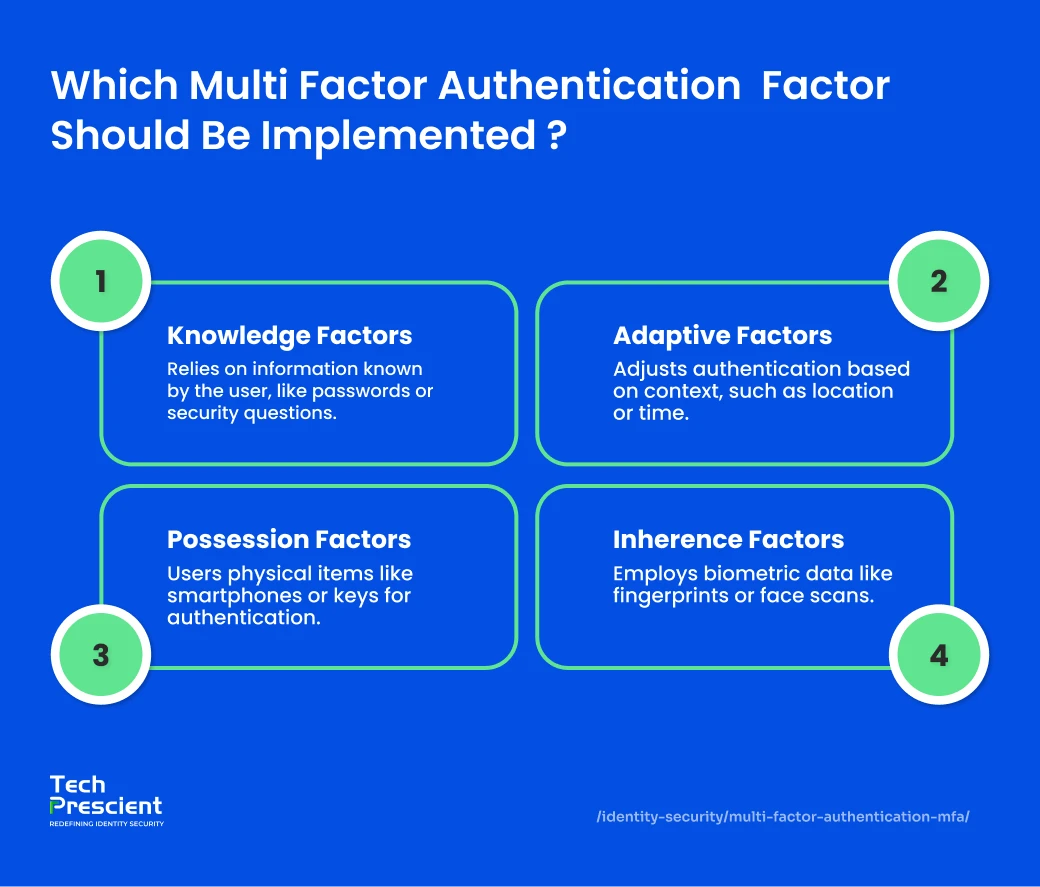
Multi-Factor Authentication (MFA) relies on multiple categories of verification to confirm a user's identity. Each category represents a different type of information or evidence that helps validate access requests. The three main authentication types include knowledge, possession, and inherence factors. In addition, newer approaches such as adaptive and location-based authentication make MFA more dynamic and context-aware.
Knowledge Factors (Something You Know)
Knowledge factors involve information that only the user should know. These are the most common and straightforward forms of authentication, but can also be the most vulnerable if used alone.
- Passwords and PINs: Passwords remain the foundation of most authentication systems, but overuse and weak password habits make them a growing security risk. Users often create simple or reused passwords that can easily be guessed or stolen. PINs, while convenient, face similar challenges if not managed securely.
- Security Questions: Static security questions, such as "What is your mother's maiden name?", are widely used but increasingly viewed as unreliable because answers can be discovered or guessed. Dynamic security questions, which request real-time contextual information like recent transactions, are more effective and harder to predict.
These methods serve as the first line of defense but work best when combined with additional MFA factors.
Possession Factors (Something You Have)
Possession factors verify something the user physically holds or has access to. These provide a strong second layer in multi-factor authentication methods and are more difficult for attackers to compromise remotely.
- Smartphones and Authenticator Apps: One-time passwords (OTPs) or verification codes are commonly sent to or generated by mobile devices. These codes are based on a seed value linked to the user and are refreshed either by time or counter. Push notifications on mobile apps provide an even simpler and faster verification method.
- Hardware Tokens and Smart Cards: Physical devices like USB keys, access badges, and smart cards generate or store secure credentials. The U2F standard (Universal 2nd Factor) enhances this by using USB or NFC tokens that integrate directly with authentication platforms.
- Virtual or Soft Tokens: These are software-based equivalents of physical tokens, stored securely as cookies or encrypted files on devices. While convenient, they require proper management and technical understanding to prevent unauthorized copying.
Possession factors are highly reliable but can be affected by physical loss or theft of devices, or by network vulnerabilities during code transmission.
Security Insight
Not all MFA methods offer equal protection. Authenticator apps and hardware keys provide stronger resistance to phishing compared to SMS-based codes.
Inherence Factors (Something You Are)
Inherence factors are based on physical or behavioral traits unique to each person. These biometric identifiers make MFA authentication more personalized and secure.
- Biometric Verification: Fingerprints, facial recognition, retina or iris scans, and voice identification are among the most common forms of biometric authentication. For example, users unlock smartphones with fingerprint or face scans, access offices through biometric attendance systems, and verify identity in airports or banking apps using facial or voice recognition. These identifiers are difficult to duplicate, making them highly secure.
- Behavioral Analysis: Some systems track subtle behaviors such as typing patterns, mouse movements, or walking gait. For instance, a system may recognize a user by the rhythm of their typing or the way they move their cursor, adding another silent layer of authentication. These advanced methods provide additional protection without requiring extra user input.
As biometric technology continues to advance, inherence factors are expected to become even more accurate and accessible across devices.
Emerging MFA Methods
Modern MFA implementations increasingly incorporate contextual and risk-aware mechanisms. These approaches evaluate environmental and behavioral signals in real time to determine the appropriate level of authentication assurance.
- Risk-Based or Adaptive MFA: Adaptive or risk-based authentication analyzes factors such as device type, network, location, and login timing to determine whether a login attempt appears safe or suspicious. For instance, logging in from the office during regular hours may require fewer steps, while accessing data from a new location at night could trigger an additional verification prompt.
- Location-Based Authentication: This approach evaluates a user's IP address or geolocation. Access can be restricted if the user is outside an approved area or the location differs from the usual pattern. Location data can also act as an additional authentication layer when combined with a password or OTP.
- Time-Based One-Time Password (TOTP): TOTP generates temporary passcodes that expire after a short period, ensuring one-time usability. Commonly used in 2FA and MFA logins, this method provides both security and convenience across devices.
- Push-Based 2FA: Push-based two-factor authentication enhances usability by sending approval notifications to a registered mobile device through a secure network connection. Users simply approve or deny the request, making the process quick and secure.
Benefits of Using MFA
Implementing multi-factor authentication (MFA) is one of the most effective ways to secure digital systems today. Beyond simply protecting passwords, MFA adds layers of verification that dramatically reduce the risk of unauthorized access.
Enhanced Trust and Security
MFA strengthens cybersecurity by requiring users to authenticate their identity through multiple verification factors. By combining elements such as passwords, biometrics, and possession-based tokens, it establishes a layered security framework that is much more difficult for attackers to breach. Even if one factor like a password is compromised, cybercriminals are unlikely to possess the additional authentication credentials needed, thereby preventing unauthorized access and reducing the risk of account compromise.
Cost Savings
Investing in MFA solutions can offer a strong return on investment by preventing costly security breaches. Even in cases where attacks are not fully prevented, MFA allows IT teams to allocate resources more efficiently across other parts of the network, reducing overall operational costs and minimizing the financial impact of potential incidents.
Improved User Experience
Modern MFA security technologies increasingly use passive methods, such as biometrics or software tokens, making authentication seamless and user-friendly. Efficient MFA processes enable employees to log in quickly, boosting productivity. In e-commerce and customer-facing applications, smooth login experiences reduce friction, prevent lost sales, and encourage secure user engagement.
Compliance and Regulatory Alignment
Many industries are bound by strict regulatory frameworks that require robust authentication mechanisms such as MFA. Implementing MFA enables organizations to comply with these standards and maintain data security across critical systems. Some key compliance requirements include:
- Payment Card Industry Data Security Standard (PCI-DSS): Requires the use of MFA to control access to payment systems and prevent unauthorized transactions.
- Payments Services Directive 2 (PSD2): Mandates strong customer authentication within the European Union to secure financial transactions and reduce fraud.
- Health Insurance Portability and Accountability Act (HIPAA): Calls for MFA implementation to protect sensitive health information and maintain confidentiality in healthcare environments.
Non-compliance with these regulations can lead to significant financial penalties and legal consequences, making MFA an essential component of a compliant and secure enterprise framework.
Customizable Security Solutions
A major advantage of MFA is its ability to adapt to varying security needs across organizations. Businesses can choose from multiple authentication methods within each factor category, allowing for a tailored approach to identity verification.
- Knowledge-based factors: These include passwords, PINs, or security questions that verify a user's identity based on information they know.
- Possession-based factors: These involve one-time passwords (OTPs), hardware tokens, or mobile push notifications that confirm something the user possesses.
- Biometric factors: These rely on physical characteristics such as fingerprint or facial recognition to authenticate a user's identity.
This level of customization empowers organizations to design MFA implementations that align with their existing infrastructure, user requirements, and specific risk profiles.
Integration with Single Sign-On (SSO)
MFA integrates seamlessly with Single Sign-On (SSO) solutions, ensuring a balance between robust security and user convenience. SSO enables users to authenticate once and gain access to multiple applications or systems without the need for repeated logins.
When combined with MFA, SSO enhances both security and usability. Users experience smoother login processes with fewer interruptions, while administrators benefit from improved password management, reduced password reuse, and fewer support tickets related to credential issues.
Scalable for Growing and Dynamic User Bases
MFA is designed to scale effortlessly with the evolving needs of modern enterprises. As organizations grow, diversify, and onboard new users such as employees, customers, or third-party partners, MFA ensures secure and consistent access control across the board.
With MFA, organizations can:
- Grant secure access to third-party vendors and contractors ensuring that external users only reach authorized systems and data.
- Support secure remote work for employees worldwide protecting access to corporate applications from any location or device.
- Enable customers to authenticate safely for online transactions and account activities building trust and protecting sensitive data.
Additionally, by reducing password-related issues and help desk requests, MFA contributes to greater operational efficiency and lower administrative costs.
Looking to Implement Enterprise-Grade MFA?
Discover how Tech Prescient helps organizations design and deploy advanced MFA frameworks aligned with Zero Trust and identity governance strategies.
Real-World Examples of MFA in Action
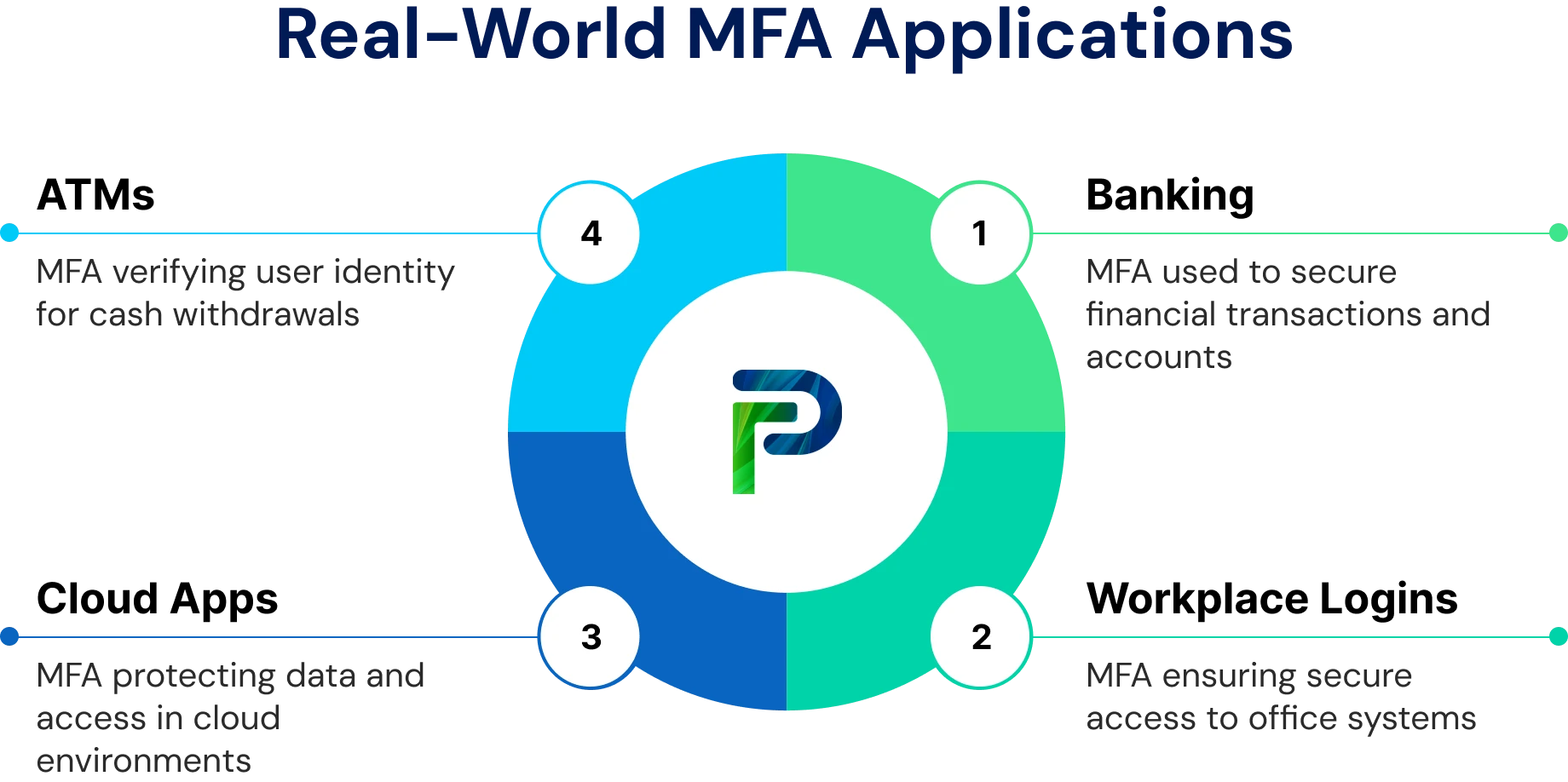
Multi-factor authentication (MFA) is a key security measure used across industries to protect sensitive systems and data. The following examples show how MFA is applied in banking, workplace logins, ATMs, and cloud applications.
Banking & Finance (Password + SMS Code)
In the banking sector, MFA protects online accounts by requiring users to enter their password and then verify their identity with a one-time code sent via SMS. This ensures that even if login credentials are stolen, unauthorized access is prevented, safeguarding customer accounts and financial data.
Workplace Logins (Password + Push Notification)
Many organizations combine MFA with Single Sign-On (SSO) for secure workplace access. Users enter their credentials and then approve a push notification on their mobile device. This method simplifies login while maintaining strong security, protecting sensitive corporate systems from unauthorized access.
ATM Transactions (Card + PIN)
Automated Teller Machines (ATMs) represent a long-standing implementation of multi-factor authentication. Access requires both a physical bank card (possession factor) and a Personal Identification Number (knowledge factor). Compromise of one element alone is insufficient to complete a transaction, illustrating the foundational principle of layered identity validation.
Cloud Apps & Remote Work (Identity Provider + Biometric or Authenticator App)
For cloud applications and remote work, MFA often requires users to authenticate through an identity provider and confirm their identity using biometrics or an authenticator app. This multi-layered approach secures sensitive corporate data and ensures that only authorized users can access cloud resources.
MFA vs Two-Factor Authentication (2FA)
MFA and 2FA are related but not identical. Two-Factor Authentication (2FA) uses exactly two independent verification factors, while Multi-Factor Authentication (MFA) includes two or more. All 2FA is MFA, but not all MFA is limited to just two layers.
- Two-Factor Authentication (2FA): Two-factor authentication implements exactly two independent layers of identity verification to establish trust. The first factor is typically something you know, such as a password or PIN, which verifies user knowledge. The second factor is something you have, such as a one-time password (OTP), hardware security key, or authenticator app token, which validates device possession. By combining these two factors, 2FA ensures that even if one credential (like a password) is compromised, an attacker still cannot gain access without the second, possession-based factor.
- Multi-Factor Authentication (MFA): Multi-Factor Authentication extends this concept by incorporating two or more distinct authentication factors such as knowledge, possession, and inherence (biometric). In MFA, identity verification occurs across multiple independent channels, often involving advanced elements like biometric recognition (fingerprint, facial, or voice ID) or contextual and adaptive checks such as device health, geolocation, or behavioral patterns. This layered approach significantly enhances resistance against credential theft, phishing, and session hijacking by ensuring that access is only granted when all factors are validated simultaneously through trusted sources.
A modern example of 2FA is push-based authentication, which enhances both security and ease of use compared to SMS or time-based codes. Push-based 2FA sends verification requests through secure data networks like cellular or Wi-Fi, confirming identity through multiple authentication elements that traditional methods lack. Setting up 2FA helps prevent unauthorized access, phishing, and password-based attacks by requiring both your password and a second verification step. It takes only a few minutes to enable but adds a powerful layer of defense as part of a broader multi-factor authentication strategy.
Why Enterprises Can't Rely on Passwords Alone in 2026
Password-based authentication no longer provides sufficient assurance for enterprise environments. Credential-stuffing attacks, large-scale phishing campaigns, and widespread password reuse continue to make static credentials a primary attack vector.
Because identity now serves as the control plane for cloud infrastructure, SaaS applications, and remote access, authentication weaknesses translate directly into organizational risk.
Modern enterprises implement Multi-Factor Authentication (MFA) as a foundational control within Identity and Access Management (IAM) programs and Zero Trust architectures. Rather than relying on perimeter defenses, these models require continuous validation of user identity before granting or maintaining access.
Key enterprise drivers for MFA adoption include:
- Preventing credential-based breaches and account takeover
- Securing remote and hybrid workforce access
- Meeting regulatory requirements such as PCI DSS, HIPAA, and PSD2
- Limiting lateral movement across cloud and hybrid environments
In enterprise security strategy, MFA is not an enhancement. It is a baseline identity assurance requirement that reduces the probability of unauthorized access across distributed systems.
Why MFA Is Essential for Identity Security
Multi-factor authentication (MFA) is a cornerstone of modern identity security, forming the backbone of Zero Trust and identity governance strategies. Instead of relying solely on passwords, MFA verifies every access attempt using multiple independent factors such as something you know, something you have, or something you are. In a Zero Trust framework, where the principle is "never trust, always verify," MFA ensures that access is continuously authenticated and validated for every user, device, and session.
MFA is also deeply integrated into Identity and Access Management (IAM) and Identity Governance and Administration (IGA) systems, reinforcing enterprise-wide security by linking authentication with policy enforcement and compliance controls. Its importance becomes even more critical as organizations adopt cloud services and support remote or hybrid workforces.
Key reasons why MFA is essential for identity security include:
- Supports Zero Trust Architecture: Ensures that every access request is verified regardless of network location, reducing the risk of unauthorized entry.
- Enhances Identity Governance: Integrates with IGA tools to monitor, log, and control access rights while enforcing least-privilege policies.
- Protects Against Credential Theft: Prevents attackers from accessing systems even if passwords are compromised.
- Strengthens Remote Work Security: Provides secure access for employees working from various locations or devices.
- Meets Compliance Requirements: Helps organizations align with security standards and regulations that mandate strong authentication.
By combining continuous verification with strong access controls, MFA not only reduces the attack surface but also builds a resilient foundation for digital trust across users, applications, and systems.
Final Thoughts
Multi-Factor Authentication (MFA) has become one of the most effective defenses against modern cyber threats. By requiring users to validate their identity through multiple verification layers, MFA ensures that access to systems and data is both secure and trusted. As cyberattacks grow more sophisticated and identity-based breaches rise, MFA stands as a critical component of a robust security posture.
At the same time, MFA continues to evolve, powered by adaptive authentication, AI, and Zero Trust principles, to deliver seamless user experiences without compromising protection. The future of MFA lies in intelligent, context-aware systems that automatically assess risk and respond in real time, creating a stronger, more resilient security ecosystem.
FAQs
MFA stands for Multi-Factor Authentication, a security method that requires users to prove their identity using two or more verification factors before granting access. It goes beyond just a password by adding extra checkpoints like a device confirmation or biometric scan, making unauthorized access much harder.
MFA improves security by adding additional layers of verification beyond traditional passwords. Even if a hacker steals your password, they cannot log in without the second or third factor such as an OTP, hardware token, or fingerprint. This layered defense greatly reduces the risk of data breaches and credential-based attacks.
Not exactly. 2FA (Two-Factor Authentication) is a type of MFA that uses exactly two verification steps, while MFA can include two or more. So, every 2FA setup is an MFA, but MFA can go further by adding biometrics or device trust checks for stronger protection.
You experience MFA in many places, such as logging into your bank account using a password plus a one-time code sent to your phone. At work, it might mean using a fingerprint scan along with a smart card. Each layer adds another checkpoint to confirm your identity securely.
The main MFA methods fall into four categories: knowledge (something you know, like a password), possession (something you have, like a phone or token), inherence (something you are, like a fingerprint), and adaptive (context-based checks like location or device behavior). Together, they create a stronger security framework.
True. MFA enhances security by requiring multiple independent verification factors, such as biometrics, devices, or one-time passcodes, making unauthorized access significantly harder.
Generally True. MFA provides stronger protection than single-factor authentication because compromising multiple independent factors is far more difficult than stealing a password alone.


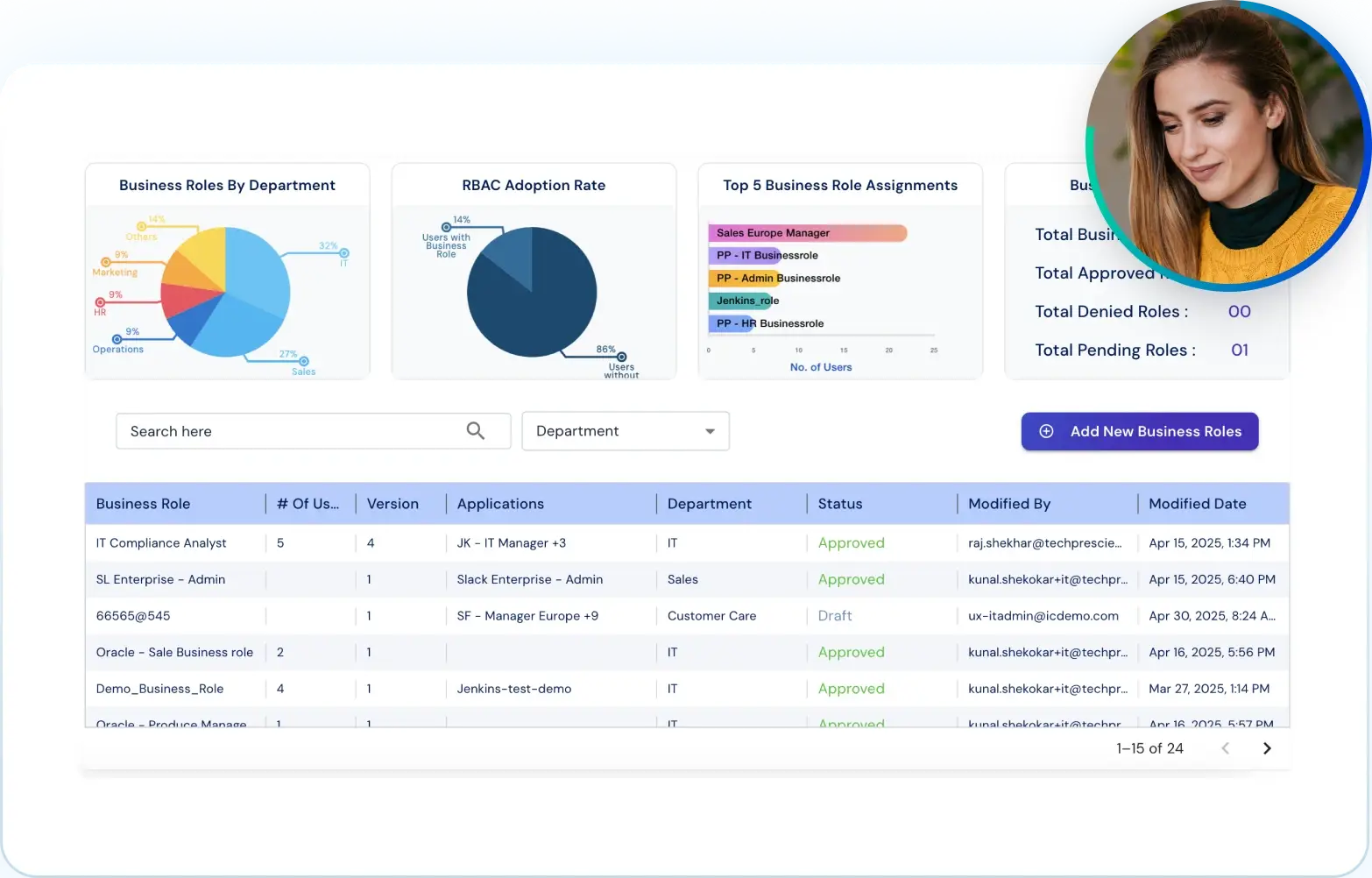
GET A PERSONALIZED DEMO
See Identity Confluence in Action
“One platform to govern identities, automate access decisions, and prove compliance; across every app, user, and system in your environment.”



Murli Ramsunder
Senior Architect, Vonage