What is a User Account in Cybersecurity?


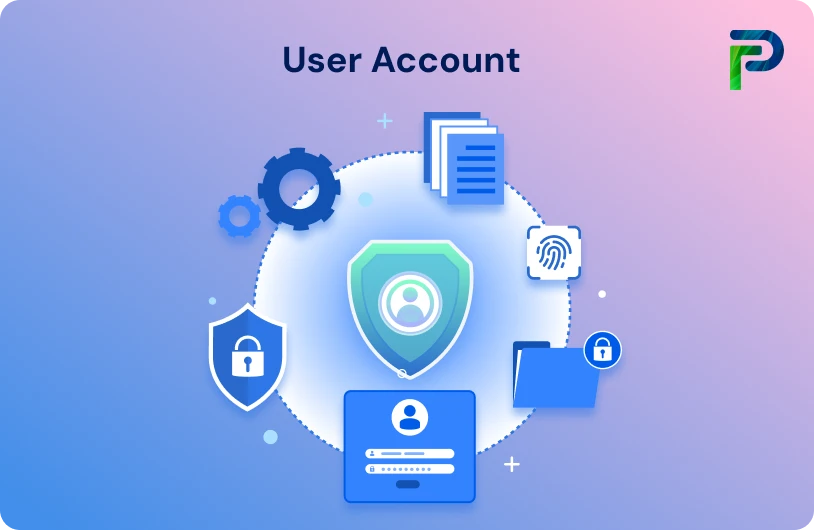
A user account is a unique digital identity enabling a person, application, or device to authenticate into a system and access the resource to which they’ve been assigned permission. This is foundational to how modern systems identify who you are and what you can do.
User accounts are a type of privileged account, meaning they have greater permissions than a normal or anonymous user. Additional privileged accounts include database accounts, service accounts, root accounts, administrator accounts, and system accounts; all of which have elevated permissions and pose a risk for misuse.
User accounts play a crucial role in protecting data, implementing access control, and ensuring accountability in cybersecurity. Every login, every permission, and every action taken in a given system can be traced back to a user account, which is why bad actors frequently target user accounts so they can bypass system access controls.
Every user account must have appropriate governance, no matter if it is for an employee, administrator, machine, or service. Millions of accounts are created across applications and cloud services. Other than security, if the accounts are not managed correctly, they can become a source of breaches, privilege abuse, and identity-based attacks. Effective user account management provides strong authentication, appropriate access, and reduced cyber risk.
Key Takeaways
- A user account is a digital identity that verifies users and determines what resources they can access.
- User accounts consist of key elements like credentials, roles, and permissions that govern authorization.
- They form the foundation of access control, helping organizations enforce least privilege and accountability.
- Poorly managed accounts, inactive, shared, or over-privileged, pose significant security risks.
- Strong user account management prevents unauthorised access and identity-based attacks, especially when combined with IAM and IGA.
User Account Definition and Purpose
A user account is an individual digital identity assigned to a person, device, or a software service to validate and grant the appropriate level of access within an application, device, or network. User accounts allow individuals or systems to log in, set preferences, and access only the resources their assigned permissions allow.
A typical user account contains basic components such as:
- Username - the unique identifier used to identify the user
- Password or credentials - used to validate identity
- Permissions and privileges - describe what the user may be able to do
- Profile and metadata - department, role, contact information, and other attributes
At the level of security, user accounts have two primary purposes:
→ Authentication (validating who the user is)
→ Authorization (deciding what the user can access once authenticated)
There is an important distinction made here within a cybersecurity context: strong authentication prevents impersonation and adequate authorization prevents over-permissioned access.
In modern identity security, user accounts are managed through IAM and governance processes to ensure that every account is correctly provisioned, monitored, and deprovisioned. When managed appropriately, user accounts provide accountability, enable least privilege and reduce the risk of unauthorised access, making them among the most fundamental building blocks of any secure digital footprint.
Types of User Accounts (with Examples)
User accounts perform various functions and have different risk levels. Understanding these account types helps your organisation assign appropriate permissions, expose different risk levels, and implement appropriate access control measures.
1. Standard User Accounts
Standard user accounts are primarily used by employees for commonly accepted daily activities (e.g. email, collaboration applications, and access to internal systems at a more basic level).
- Purpose: Operational or daily activity with limited permissions
- Risk Level: Low
- Example: Employee accesses their workstation, logs in, and accesses internal applications.
Standard user accounts serve to minimise accidental changes to systems and less exposure if a user account is compromised.
2. Privileged Accounts
Privileged accounts have additional permissions to perform changes to systems/applications. Privileged accounts are more often viewed as a high-value target for attackers, as they would typically involve significant changes to applications or systems.
- Purpose: System administration, making configuration changes, or sensitive data access
- Risk Level: Very high
- Examples: Domain admins, root accounts, database admins.
Privileged accounts require a governance framework, e.g., log review, oversight, and multifactor authentication, and must be monitored closely.
3. System Accounts
These accounts are established by the operating system and are designed specifically to run primary system services and background processes. They usually have enhanced privileges allowing them access to system-level resources, yet they will not be used for interactive login. They are scoped across the entire system - thereby making them critical for the OS to operate correctly.
4. Service Accounts
Service accounts manage to communicate with systems on behalf of applications, scripts, or services. These accounts typically have very high permissions and run in the background, with little or no user interaction.
- Purpose: Enables automated actions and application communication
- Risk Level: High risk (especially if passwords are not managed and periodically rotated)
- Example: Backup service accounts, database connection accounts
Many breaches occur when service accounts become overprivileged and poorly managed.
5. Guest or temporary accounts
Guest or temporary accounts provide short-term access with very restricted permissions and rarely include administrative rights. These accounts are typically used for contractors, interns, external auditors, or short-duration vendors who require access for a limited period.
- Purpose: To provide temporary access to guests, contractors, or interns
- Risk Level: Moderate
- Example: A contractor receives access to a limited subset of systems for several days or even a week to perform a project.
Since these accounts are inherently risky, most current versions of modern systems (such as Windows, macOS, Linux distributions, routers, and shared servers) have guest accounts set to disabled by default. The philosophy is simple:
“Enable it only when absolutely necessary, and only when the security implications are fully understood.”
Because they are temporary, these accounts need to be closely monitored, audited on a regular basis, and disabled immediately after the user no longer needs access.
6. Local vs. Domain Accounts
Understanding how accounts are configured and managed is critical to best identity hygiene.
Local Accounts
- Reside on only one device, and you can’t use them to log in to any other computer.
- Their permissions and validity apply only to that specific machine.
- Examples: a local admin account on a laptop or server
Domain Accounts
- Work across all domain-joined computers in the network (or Entra ID–joined devices), providing single sign-on (SSO) access to shared resources like file servers, printers, and enterprise applications.
- Provide a consistent and possibly granular level of access across systems on a network.
- Examples: Corporate email accounts, enterprise workstation logins, or internet-based accounts tied to a domain account configuration.
Domain accounts simplify the management of accounts because they can restrict access across the entirety of a network, while local accounts are riskier if not managed properly.
7. Remote Accounts
-
Allow users to authenticate into a system from a remote location over a network (e.g., via RDP, SSH, or VPN).
-
Require additional security controls, such as MFA, session monitoring, and network restrictions, because remote access expands the attack surface.
-
Examples: Remote admin account for server maintenance, remote SSH user for cloud systems.
| Account Type | Purpose | Risk Level | Example |
|---|---|---|---|
| Standard User Account | Daily tasks with limited access | Low | Employee email & file access |
| Privileged Account | Admin-level actions like configs & system changes | High | Domain admin, root account |
| Service Account | Machine-to-machine or app-to-app automation | Medium–High | Backup service account, DB connector |
| Guest/Temporary Account | Short-term, restricted access | Low–Medium | Partner/contractor access |
| Local Account | Works only on one device | Medium | Local admin on a laptop |
| Domain Account | Managed centrally across the network | Medium–High | Active Directory domain user |
How User Accounts Work in Cybersecurity
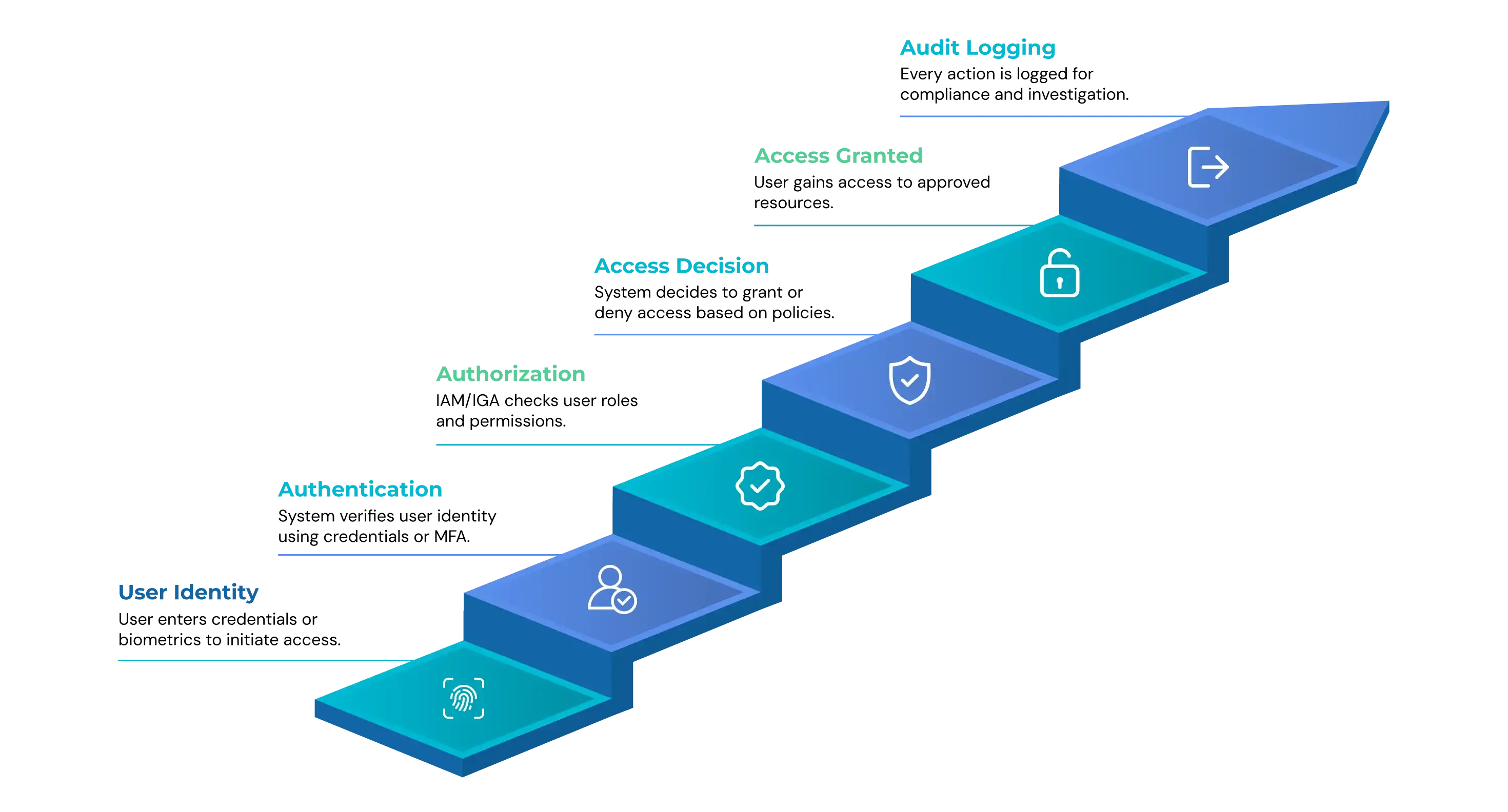
User accounts provide the basic entry point for secure access to an organization. They authenticate a person's (or system's) identity, determine what can be done, and log how the environment is being used. This ultimately helps establish security, accountability, and compliance in your systems.
The following step-by-step description explains how it works:
1. Account Creation
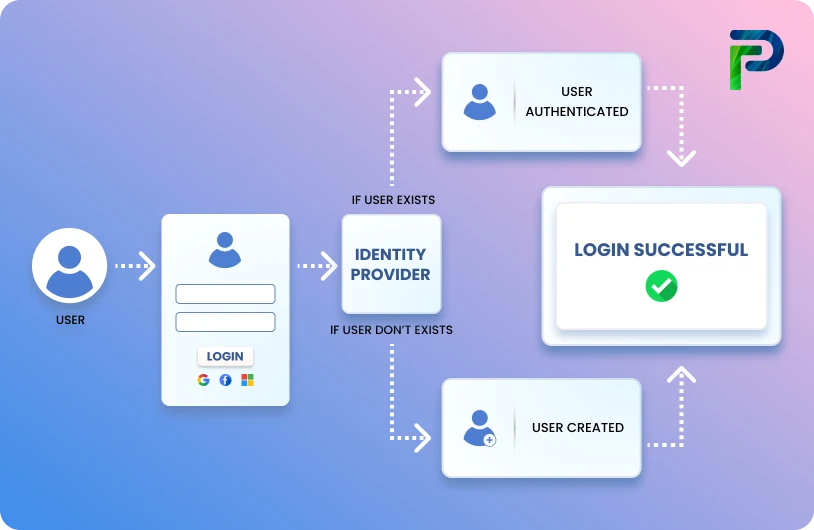
Account creation is the first step in creating a user's digital identity. A unique profile is created in a directory or directory service such as Active Directory, Azure AD. The profile stores information such as a username, email address, department, manager, and group memberships. Access rights may then be granted manually or automatically, through role-based provisioning (RBAC/ABAC) or triggered by an HR system.
2. Authentication
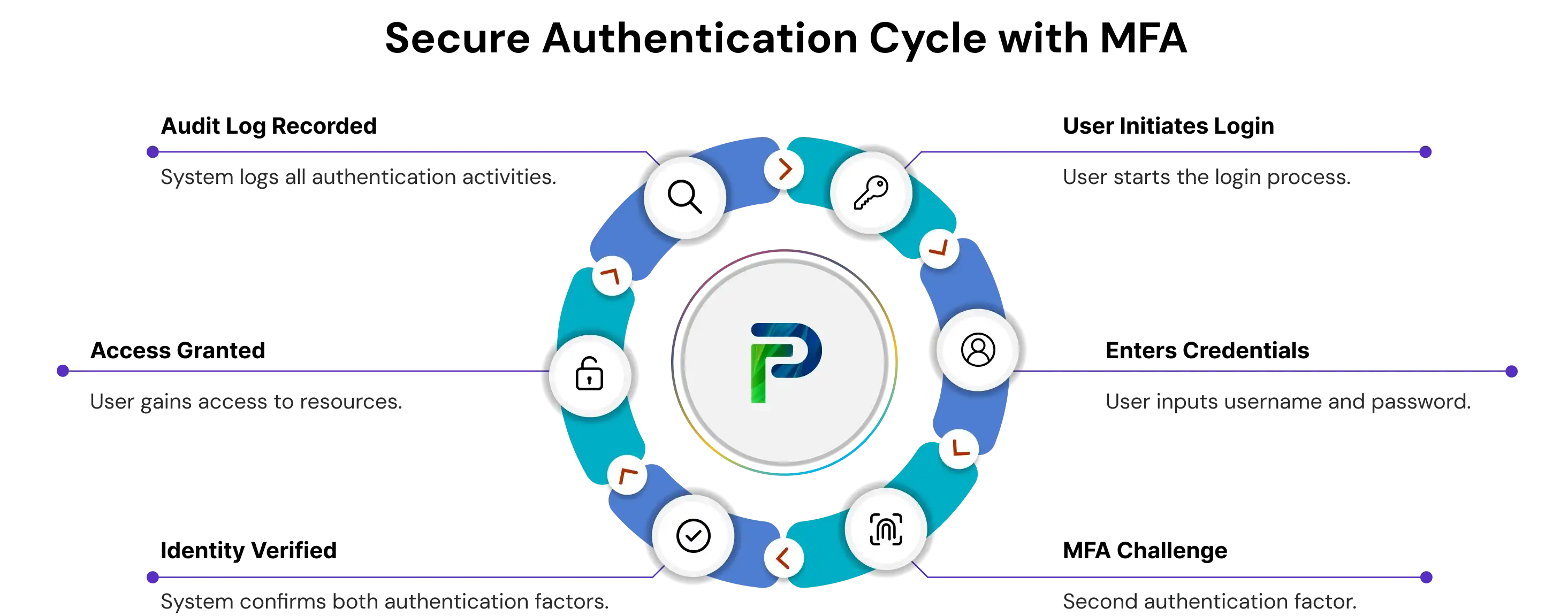
Authentication is a method of confirming that a user is who they claim to be prior to granting access. Modern environments may use authentication methods such as passwords, MFA, biometrics, and even passwordless alternatives such as FIDO2 keys. Many organisations utilise risk-based or adaptive authentication, which adds additional checks when something appears out of the ordinary, such as login attempts using a new device or from a different location.
3. Access Control
After validating identity, access control begins to define what that user can do.
This begins to touch on our authorization policies. IAM, PAM, and Zero Trust systems ensure least-privilege rules are in effect through role-based, attribute-based, and conditional-access policies. Sensitive actions, such as administrative actions, may require temporary privilege elevation with additional checks.
4. Audit Logging & Monitoring
Every action that the user takes creates logs. The logs are ingested into SIEM systems and UEBA systems to analyse behaviour for anomalies, such as spikes in failed logins, out-of-hours access, sudden privilege escalation, or access attempts for restricted systems.
Importance of User Account Security
User accounts are the entry point to your entire digital environment, and if the entry point is weak, everything behind it is compromised. Strong user account security is the essential proof point that the proper people (or services) access the right resources at the right time, and the least amount of privilege necessary. It's one of the most effective ways to protect against breaches, data theft, and unauthorized lateral movement within your environment.
Why Does User Account Security Matter
User accounts don't just authenticate users with credentials; they apply identity-based controls, which range from login challenges to what the user is allowed to do. When properly securing accounts, organizations can:
- Prevent unauthorised access
- Limit the number of privileges exposed
- Reduce the blast radius of compromised credentials
- Maintain visibility and accountability across user activity for all users
Good user account security is foundational for Zero Trust, least privilege, IGA, and modern enterprise security.
Core Security Practices to Strengthen Accounts
1. User Access Controls (UAC)
User Access Controls determine what a user can do by defining the permissible actions each account can or cannot take. This includes permission sets for an account, restrictions preventing a standard user from executing administrative-level user actions, and role-based access.
Having strong UAC reduces the potential for misuse, limits insider risks, and prevents attackers from acquiring a "tap in" to high-privilege access if they compromise a standard user account.
2. Multi-Factor Authentication (MFA)
Multi-Factor Authentication refers to a second layer when verifying identity. This could mean something the user knows, possesses, or is.
MFA affords one of the simplest and effective ways to defend against compromised credentials. If an attacker compromises the user's password, they may not gain access without the second factor.
3. Password Hygiene
Weak passwords and reused passwords remain one of the top reasons attackers can breach enterprise systems.
Good password hygiene includes:
- Strong password complexity
- Regular rotation
- Not using the same password
- Blocking breached passwords or common passwords
Passwordless methods (biometric, or security keys) are also ways to reduce risk further.
Real-World Example: The Snowflake 2024 Data Breach
In 2024, Snowflake, an enterprise-level cloud data platform, experienced a high-volume data breach that impacted over 160 organizations. Access was gained by hackers who compromised employee user accounts lacking reasonable multi-factor authentication and employed information-stealing malware to retrieve credentials.
Once access was obtained, the hackers produced session tokens and moved laterally within each customer environment without triggering standard MFA checks. This access put sensitive data in Snowflake customer accounts at their disposal, and they clearly navigated the breadth of the accounts without triggering any authentication alerts.
This data breach shows how vulnerable user accounts, especially missing or poorly designed identity controls, can lead to catastrophic and indiscriminate exposure of previously protected data.
Best Practices for Managing User Accounts
Effective user account management is key to risk minimization, compliance, and making sure that only the right individuals have the right access at the right time. Positive account hygiene helps organizations adhere to least privilege, automate regular identity management tasks and eliminate blind spots, which are often exploited by intruders.
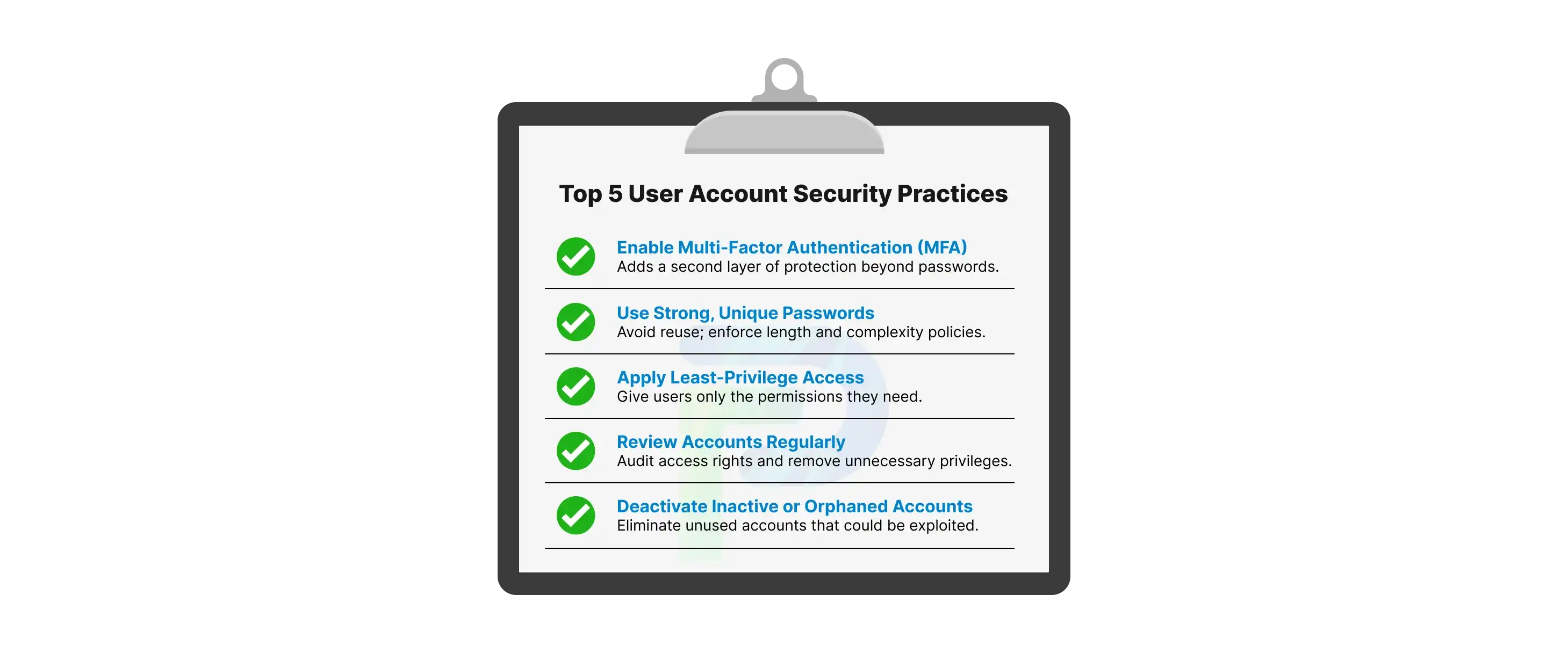
1. Use Least Privilege & Role-Based Access Control (RBAC)
Only assign users the least amount of access necessary to accomplish their job functions. Implementing RBAC will help organize and streamline permissions by providing the appropriate access by role and not by person, limiting unnecessary accidental over-privileging. Effective role-based access ensures revenue, compliance, and security functions have consistent access policies throughout the organization. It also restricts damages suffered by the organization if any individual account is compromised.
2. Enable Account Lifecycle Automation
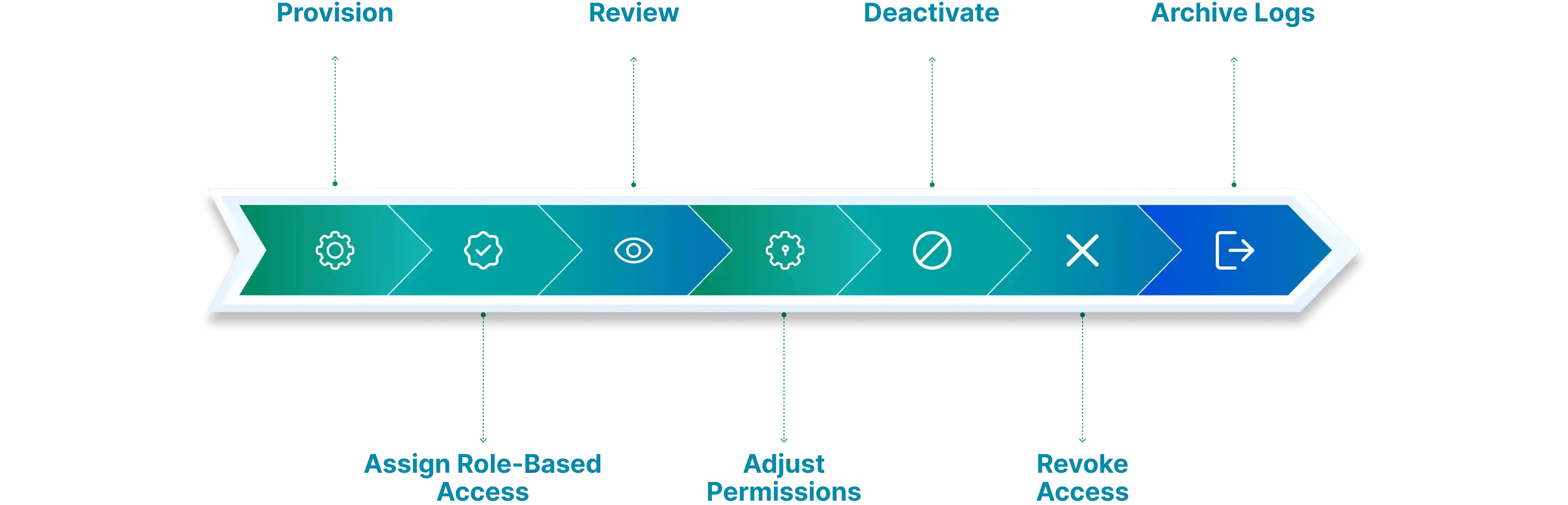
Automating the user account creation process, updates, and removal will help reduce the mistakes from manual work and eliminate the entry points where "zombie" or inactive accounts can build up. An automated provisioning process enforces the creation of accounts through HR or organizational workflows so that the user access is retaken at the moment they assume that new role. The same automated function would deprovision accounts the moment an employee exits, so there is no possible access for the user.
3. Conduct Regular Audit and Access Reviews
Periodic access reviews will ensure you identify excessive or unused permissions or accounts that violate policy. Performing these reviews quarterly (or more often in regulated populations) will help ensure users have access to the relevant their job duties or responsibilities. These reviews will also help you identify accounts that are considered high-risk and require additional governance.
4. Combine IAM with IGA for Governance Visibility
IAM tools can help manage authentication and authorization; however, they typically do not provide a deep understanding of who has access to what across your entire environment. Integrating IAM with Identity Governance and Administration (IGA) tools can provide a more top-down view into access rights, conflicts of separation of duties, policy violations and risky privileges.
You can reference more on this here: IAM and IGA integration
5. Enforce Strong Credential Policies
You should mandate MFA for all accounts, notably privileged and service accounts. This should also be complemented by strong password requirements, session timeouts, and account lock-out policies to mitigate brute-force compromise attempts. You may also consider biometric authentication methods or other passwordless flows to enhance assurance of identity.
6. Use Just-in-Time (JIT) & Just-Enough-Access (JEA) Privilege Models
Rather than offering users permanent admin access, provide elevated access only when needed and for only that specific task. JIT eliminates long-term risky access, while JEA reduces the access scope associated with elevated activity. This greatly minimizes the risks to the organization if accounts are compromised.
7. Implement Continuous / Adaptive Authentication
Don’t stop with static MFA. Adaptive authentication calculates real-time risk factors (device health, location, behaviour patterns, access context, etc.) to determine whether step-up authentication is warranted. With adaptive authentication, friction is elevated only in a seemingly risky situation, improving both security and user experience.
8. Centralize Account Monitoring and Alerting
Continuously monitoring user activity by reviewing logs from IAM, IGA, and directory services can help mitigate account compromise risk. You should monitor for users logging in during abnormal hours, privilege escalation, access to high-value assets, and numerous failed login attempts. Automated alerts or behavioural analysis tools can help quickly identify suspicious activity associated with potentially compromised accounts.
Common User Account Mistakes to Avoid
Even a well-conceived security program can be undermined by the mismanagement of user accounts. Simple oversights alter the security posture of your organization. For instance, the repeated occurrence of leaving an account active too long or the difficult choice to provide all users with high levels of access results in user accounts being compromised. Following best practices in managing user accounts, practising strong access control minimises the risk of insider threats and credential-based attacks.
1. Account Sharing
If login credentials are being shared, it is difficult to understand who performed what action. There is no accountability for the actions taken, malicious behaviour is concealed, and account sharing is also a violation of most of today's compliance frameworks. All users, human and non-human, should have a unique identity.
2. Not Enabling MFA
Using only passwords greatly increases the probability of a compromised password. Enabling MFA (Multi-Factor Authentication) introduces a second layer of protection that is necessary and will impede the attacker, even if passwords are leaked, reused or stolen.
3. Not Deprovisioning Inactive or Orphaned Accounts
Inactive accounts that no longer are engaged or orphan accounts that no longer have a "tie" to an account, like a user that has left or a system that has been retired, are the most inviting targets. If the deprovisioning hasn't "caught up" and happened, these accounts may be invisible backdoor accounts in your organization.
4. Over-Privileging Admin Users
When users are granted admin privileges "just because," it creates unnecessary risk. Privileged accounts must be restricted, monitored, and only used by those who require elevated privileges. It only takes one unmanaged admin account for an attacker to gain full privileges.
Conclusion
User accounts are at the heart of every security program. If managed properly, they enable only the right people, and only the right amount, access to the proper systems. Conversely, when accounts are misconfigured, over-privileged, or not monitored, they become one of the simplest places for attackers to gain access.
With a focus on strong authentication, least privilege, continuous monitoring, and lifecycle governance, organizations can reduce their identity risks and exert tighter control in their environment. Securing user accounts is not only a good practice, but it is a part of the core functions for protecting your business.
Frequently Asked Questions (FAQs)
1. What is a user account?
A user account is a digital identity assigned to an individual or an automated process, allowing them to authenticate (validate their identity) and access particular applications, systems, or data. It is a determinant of what users can and cannot do based on the permissions assigned.2. What are the types of user accounts?
There are different types of user accounts, each created for a different purpose. Standard accounts are considered regular accounts for typical day-to-day activities, while privileged accounts are generally for administrative use and provide users with administrative (powerful) controls. Service accounts exist to provide user-like accounts that support applications and are also not meant for a user's general use. Guest accounts are for temporary users and not for people with frequent access. Each account type comes with various rules for acceptable use and access, and comes with various security risks.3. What is user account security?
User account security refers to intentional protections of users' accounts through the application of control mechanisms such as multi-factor authentication (MFA), strong password policies, role-based access control (RBAC), and continuous monitoring. The intention of user account security is to prevent unauthorized access, account compromises, and unauthorized use of privileges.4. How is a username different from a user account?
A username is merely the identifier you log in with. A user account is everything behind the username—permissions, roles, credentials, and settings. A username identifies the user of the account. The user account defines what the user can access.5. Why is managing user accounts important?
Proper user account management ensures that only authorized users have access to sensitive systems. Taking a strategic approach to user account management prevents insider threats, reduces the risk of exposure from unused or over-permissioned accounts, helps with regulatory compliance, and ultimately improves access control in an organization.


Blogs You Might Like