
Evidence Center: One Place for All Your Compliance Reports
Last Updated date: April 15, 2026
On this page
See Tech Prescient in Action
Automate access, reduce risk, and stay audit-ready
Auditors ask a simple question behind every checklist item: Can you prove that the right people had the right access with a clear audit trail? Most organizations cannot answer that from a single place.
Access certification records live in one system. Provisioning logs live in another. Policy decisions sit in emails or outdated spreadsheets. Whether the framework is SOC 2, DPDPA, NIST, SAMA, or ISO/IEC, the compliance obligation covers every access decision the organization has made, regardless of where that record lives.
Pulling it together under audit pressure is manual, fragmented, and exactly the kind of process that creates errors when you can least afford them.
TL;DR
The audit evidence problem is structural. Access records spread across systems make compliance evidence reporting slow and error-prone.
Evidence Center reports at the clause level, not just the framework. Every control clause within SOC 2, DPDPA, NIST, SAMA, ISO/IEC, and more has its own dedicated CSV report pre-mapped and ready to download.
No manual mapping required. Each clause report is scoped to the identity governance controls that satisfy that specific control. No filtering, no reconciliation.
Custom reports for everything else. Filter by date range, users, departments, applications, activity, policy, or campaigns for evidence that falls outside the standard framework scope.
Why Manual Evidence Collection Fails at Audit Time
The typical response to an audit request is to pull from whatever systems are accessible: an IGA platform export here, a ticket system log there, and a spreadsheet of user access review approvals maintained manually. All of it is compiled into a folder the week before the auditor arrives.
That process has two structural problems:
First, it is slow. Collecting and reconciling records across systems takes time organizations rarely have during an active audit.
Second, it is inconsistent. Different teams pull records differently. Fields do not always match. Date ranges overlap or leave gaps. The resulting evidence package reflects the effort of assembly, not the integrity of the underlying controls.
The problem isn’t data availability. It is structural. No single place exists where compliance evidence is organized by framework, mapped to individual clauses, and available.
What Is the Evidence Center in Identity Confluence?
The Evidence Center is a centralized reporting layer built on top of Identity Confluence's identity governance data.
Every governance action the platform records, including provisioning events, access certifications, role assignments, policy decisions, and offboarding triggers, flows in and is available as audit-ready reports.
What separates it from a standard reporting tool is depth. Each report captures access-related details across the organization, including application names, IT roles, business role names, and associated entitlement details, all mapped to a specific compliance clause, not a framework as a whole.
Clause-Level Reports by Framework
SOC 2, DPDPA, NIST, SAMA, ISO/IEC, PCI DSS, and more each have a dedicated tab. Inside each tab, every control clause has its own pre-mapped CSV report. Access provisioning clauses map to Joiner-Mover-Leaver (JML) workflows. Access review clauses map to certification campaigns and approval records, among others.
Custom Report Configuration
When out-of-the-box reports do not match the exact scope required, filter by date range, users, departments, applications, activity, policy, and campaigns. Every report is exported as a structured CSV ready to submit.
Expanding Framework Coverage
As Identity Confluence adds new certifications, the Evidence Center adds corresponding clause-level report sets automatically. No reconfiguration required.
Using the Evidence Center: Two Ways to Access Compliance Evidence
The Evidence Center is built for immediate use. No configuration is required before generating your first report.
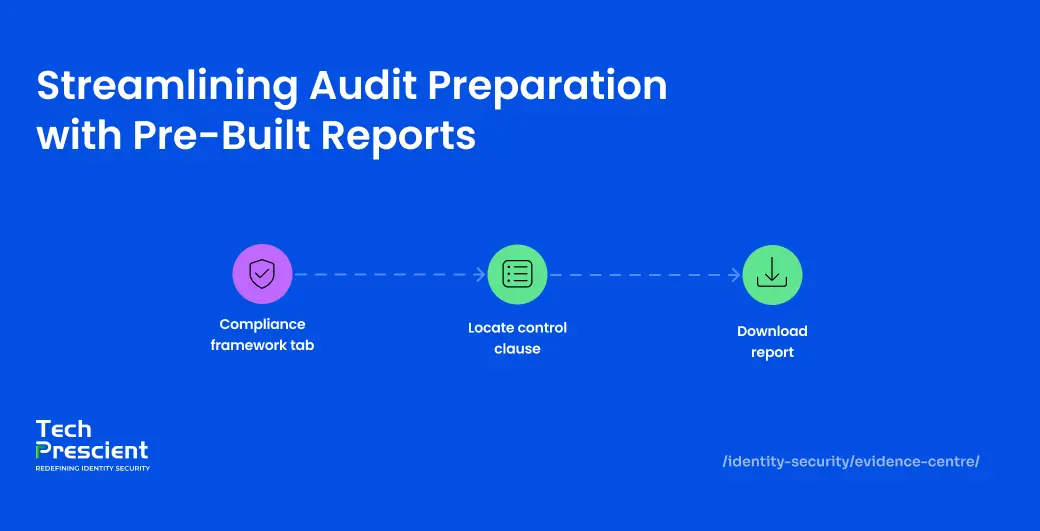
Process 1: Access Pre-Built Reports by Framework and Clause
This is the primary path for audit preparation. Every supported compliance framework has a dedicated tab inside the Evidence Center. Currently available frameworks include SOC 2, SAMA, ISO/IEC, PCI DSS, DPDPA, and NIST, among others, with additional certifications added as Identity Confluence expands its compliance coverage.
Select the framework tab relevant to your current audit or regulatory review. Inside each tab, the framework is broken down into its individual control clauses, listed as rows in a structured table. Each row shows the control criteria reference, the control description, an explanation of the evidence mapped to that clause, the name of the corresponding report, and a direct download button.
You are not downloading a full SOC 2 export and then hunting for the right rows. You are going directly to the clause your auditor is assessing.
Taking SOC 2 as an example, a compliance team preparing for a review of logical access controls would navigate to the SOC 2 tab, locate CC6.1, which covers restriction of logical access to authorized users, and download the Identity Entitlement Report mapped to that clause. For CC6.2, which covers user provisioning and deprovisioning, they would download the JML Lifecycle Report.
Application Insight:
If a specific application is missing from a clause-level report, check whether it has been onboarded into Identity Confluence. The Evidence Center reports only what the platform governs. Applications outside the governance scope will not appear in any reports. Address that gap at the governance layer before the next audit cycle.
Process 2: Build a Custom Report on User-Defined Criteria
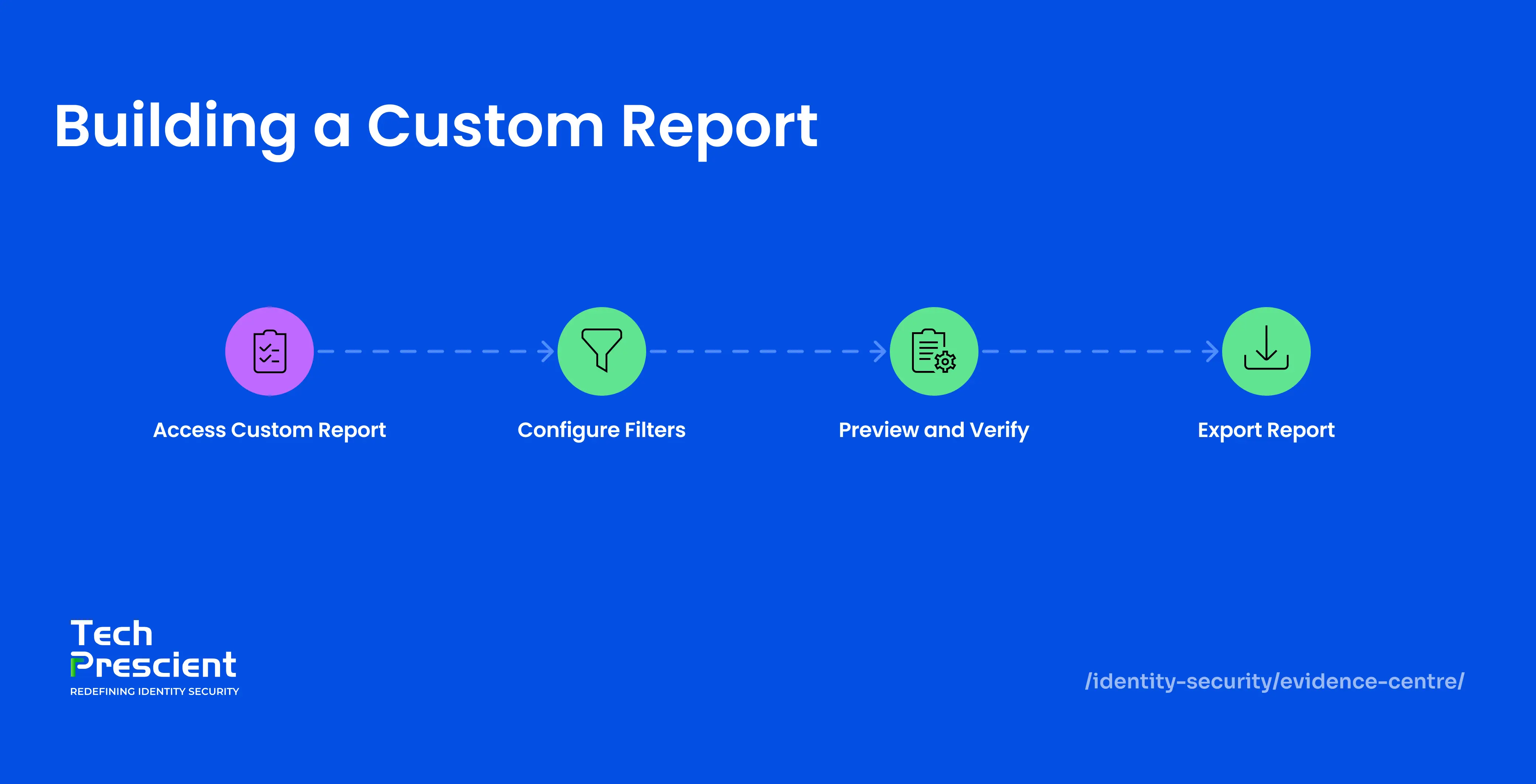
Use this path when the evidence you need falls outside the scope of a standard framework report. Open the Custom tab to access the Custom Report Configuration panel.
Configure the report using the following filters:
- Start Date and End Date
- Users
- Departments
- Applications
- Activity
- Policy
- Campaigns
Note:
Custom reports reflect the data that exists inside Identity Confluence at the time of generation. If access changes occurred directly inside applications without being recorded in Identity Confluence, the report will reflect that gap. Accurate audit evidence management depends on an accurate governance record underneath it.
Report History
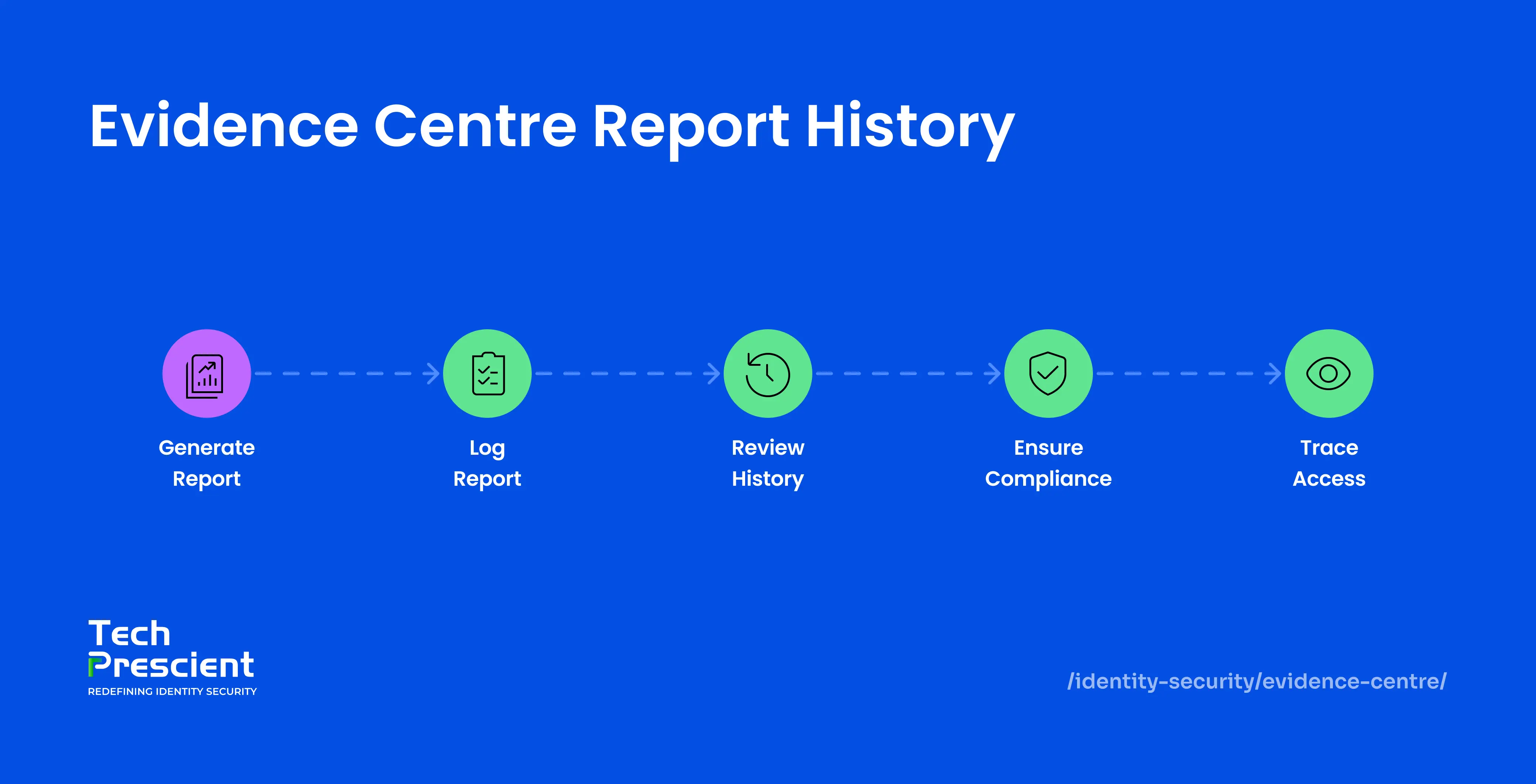
Every report generated through the Evidence Center, whether a pre-built clause download or a custom configuration, is logged automatically in the Report History. Each entry records the report name, category, format, generation status, the user who created it, and the timestamp of the last sync.
Report History serves two purposes. For compliance teams, it provides a running record of every evidence export produced across audit cycles. For auditors or internal reviewers, it creates a traceable log of when evidence was accessed and by whom. Every download is on record. Nothing gets lost between audits.
What the Evidence Center Actually Changes
The evidence does not change. The effort to produce it does.
Before the Evidence Center, compliance teams spent days before every audit tracking down records, chasing application owners, and reconciling exports from systems that were never built to work together. The evidence existed somewhere. Getting it into a usable format, scoped to the clause an auditor was actually assessing, was the problem.
After onboarding into Identity Confluence, that effort becomes a download. Access certification evidence, provisioning records, role assignment history, and offboarding documentation are captured continuously as governance happens. Every framework your organization is assessed against has a dedicated clause-level report set ready the moment you need it.
For compliance teams managing multiple frameworks simultaneously, that difference is not incremental. It is the shift from reactive to ready.
Next Steps
The goal of audit evidence management is not to respond to an audit. It is to operate in a way that makes audit responses a retrieval exercise rather than a reconstruction effort. That is what the Evidence Center is built for.
Tech Prescient’s Identity Confluence governs access continuously. The Evidence Center is the reporting layer that makes that governance retrievable on demand, down to the clause level, across every framework the organization is measured against.


GET A PERSONALIZED DEMO
See Identity Confluence in Action
“One platform to govern identities, automate access decisions, and prove compliance; across every app, user, and system in your environment.”



Murli Ramsunder
Senior Architect, Vonage