
Auto-Sync CISO Dashboard: Real-Time Identity Posture Visibility for Security Leaders
Last Updated date: June 9, 2026
On this page
See Tech Prescient in Action
Automate access, reduce risk, and stay audit-ready
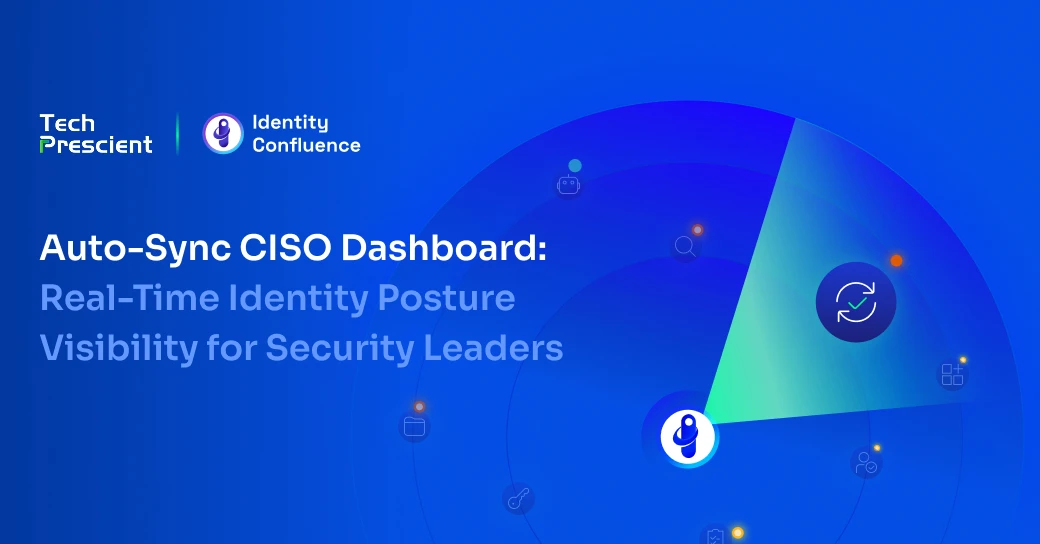
The Auto-Sync CISO Dashboard in Identity Confluence provides a centralized ISPM (Identity Security Posture Management) view, where security leaders can monitor the current state of identity governance across the tenant from a single screen.
Widgets surface identity signals such as business roles, policy violations, potential NHIs, risky accounts, dormant accounts, pending access reviews, and more. The value of that view depends heavily on whether the data is fresh. An ISPM dashboard that reflects yesterday's state cannot support today's decision.
The Auto-Sync CISO Dashboard is the capability that automatically refreshes every widget through three distinct sync paths, so the numbers on screen stay current within a short, defined operational window instead of drifting hours or days behind real activity.
The CISO Dashboard is tenant-scoped and available to super admins, IT administrators, and compliance managers. Every authorized user inside a tenant sees the same synchronized posture data.
TL;DR
- The CISO Dashboard provides a real-time identity posture overview across the tenant.
- Widgets span security, governance, compliance, operational, and access review categories.
- Every KPI includes automated severity tagging for faster prioritization.
- Auto-Sync refreshes the dashboard through manual, login-triggered, and scheduled sync paths.
- Sync execution follows a one-sync-per-tenant model with a one-hour freshness delta window.
What Does the CISO Dashboard Show?
The CISO Dashboard surfaces live identity governance state across Overview, Security, Identity, Compliance, Access Reviews, and Operational categories. Security leaders can quickly identify high-risk trends, governance gaps, and operational anomalies without navigating multiple modules or reports.
Every KPI includes automated severity tagging, helping teams prioritize actions faster and reduce time spent interpreting posture data manually.
Why Does a Stale Dashboard Create Security Risk?
Identity environments change constantly. A new business role gets created, a potential NHI surfaces during reconciliation, an access request gets approved, and a dormant account hits the threshold for action.
If the dashboard only refreshes manually, the posture view security leaders rely on may already be outdated by the time they review it.
Stale data has a real cost. Security teams act on what the dashboard shows. If the risky accounts count looks the same as yesterday, but a new high-risk account just surfaced, that account stays invisible until the next manual refresh. Identity posture monitoring is only as reliable as the data underlying it.
How Does Auto-Sync Keep the CISO Dashboard Updated?
Identity Confluence maintains CISO Dashboard freshness through three sync paths that run independently and converge on the same outcome: one refresh that updates every widget.
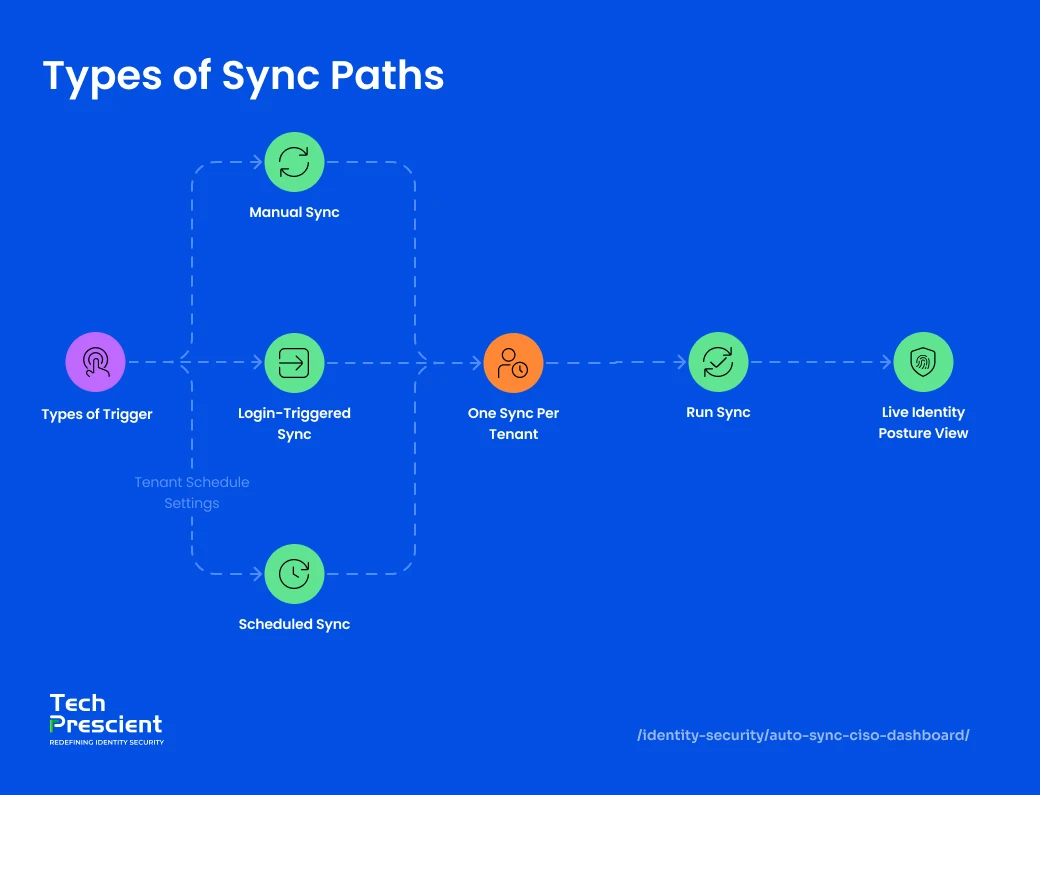
1. How Does Manual Sync Work?
A Sync button is available directly inside the dashboard interface.
When an admin clicks it, sync starts immediately for that tenant unless a successful sync has already been completed within the last hour, in which case the data is treated as fresh, and the click is skipped.
While a sync is in progress, the button shifts to a syncing state, indicating the operation is in progress and preventing duplicate execution attempts.
2. How Does Login-Triggered Sync Work?
Dashboard refresh can also begin automatically during user login.
When a user logs into the Identity Confluence, a sync triggers automatically in the background for the tenant session. In most cases, ISPM dashboard widgets are already refreshed by the time the user opens the CISO Dashboard.
This removes dependency on manual actions and ensures posture visibility begins updating as soon as platform activity resumes.
3. How Does Rule-Based Scheduled Sync Work?
Identity Confluence also supports configurable schedules. Sync runs at the per-tenant level.
Admins can define refresh intervals so posture data continues updating even during periods with no active user sessions. Because scheduling is tenant-scoped rather than user-scoped, all authorized users inside the tenant experience the same refresh behavior and posture consistency.
Scheduled sync ensures the dashboard remains operationally current even outside working hours.
4. How Does the One-Sync-Per-Tenant Rule Prevent Duplication?
One active sync, one delta cycle, no duplication
The delta window is one hour, measured from the completion time of the last successful sync. Any sync trigger that fires inside that window, whether from a login, a schedule, or a manual click, gets skipped because the data on screen is already considered fresh.
If a sync is actively running when a new trigger fires, the new trigger is also skipped. The system never queues parallel syncs. One active sync, one delta cycle, no duplication.
Why It Matters:
Every authorized user in the tenant sees the same dashboard state at the same time. No one is looking at a different version of the truth, regardless of who logged in first or who clicked sync most recently.
What Changes for Security Teams With Auto-Sync
Before Auto-Sync, dashboard freshness depended on someone remembering to click a button. The data on screen was a snapshot of when the last manual refresh happened, which could be hours or days earlier. Security teams worked from views that were already out of date.
With Auto-Sync, dashboard freshness stops depending on whether someone remembered to click; lag is bound to a known window instead of drifting indefinitely. Every login, every scheduled cycle, every manual click feeds the same refresh, with no one having to remember to trigger it. The dashboard stays updated by default.
How accurate is your identity posture data right now?
Benchmark your identity governance maturity in under 15 minutes.
What Comes Next: The Beta Dashboard Experience
A Beta version of Tech Prescient's Identity Confluence dashboard runs alongside the classic version. The Beta is organized into thematic sections, Governed Identities, Governed Applications, and Governance Suite, each with summary headlines and contextual breakdowns. Both versions are available, and admins can switch between them with a single toggle. Teams adopt the new design when ready, while the Classic stays available for continuity.
The combination is what makes the dashboard effective in the long term: Auto-Sync keeps the underlying data current, configurable widgets keep the view relevant, and the Beta layer brings audience-specific framing as the product evolves.


GET A PERSONALIZED DEMO
See Identity Confluence in Action
“One platform to govern identities, automate access decisions, and prove compliance; across every app, user, and system in your environment.”



Murli Ramsunder
Senior Architect, Vonage