




On this page
See Tech Prescient in Action
Automate access, reduce risk, and stay audit-ready
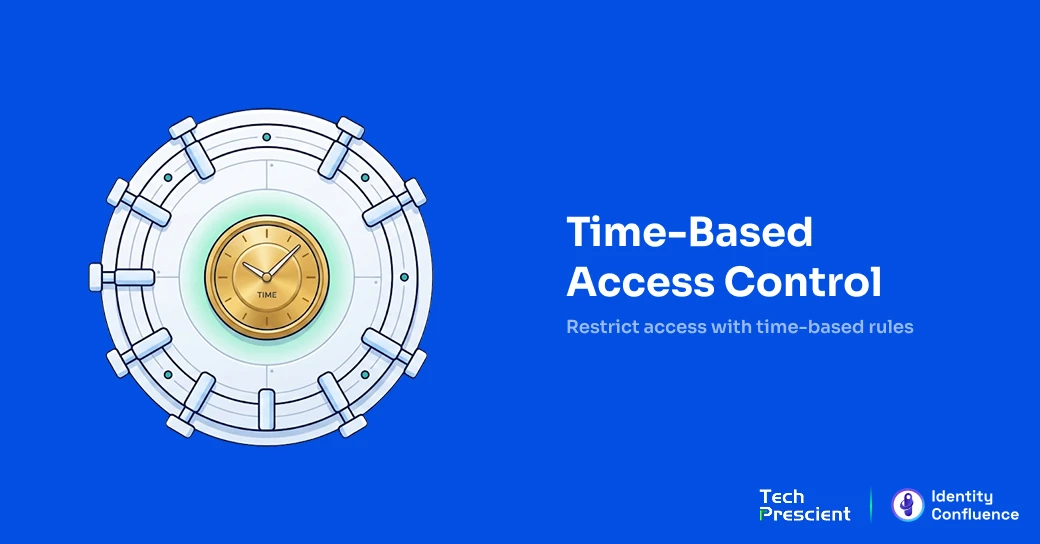
Time-Based Access Control (TBAC) is a security model that grants or restricts user access based on predefined time conditions: time of day, day of week, or a fixed calendar window. When the window opens, access activates. When it closes, access is revoked; no manual step is required.
Always-on permissions create risk. If a system is accessible at 3 AM on a Saturday when no one is working, that window is also open to anyone who should not be there. TBAC treats access duration as something that needs to be governed, not assumed.
Key Takeaways:
- Understand time-based access control: how it works and how it evaluates access decisions
- Types of time restrictions and where organizations apply them across employees, contractors, cloud, and physical security
- Why it matters for reducing credential risk and enforcing least privilege
- How it fits alongside RBAC, ABAC, and JIT without replacing any of them
- Practical implementation: policy design, IGA integration, and monitoring
- Compliance coverage across ISO 27001, PCI DSS v4.0.1, HIPAA, and SOX
What Is Time-Based Access Control (TBAC)?
At its core, time-based access control is about limiting when someone can use the access they have been given. Users can only reach systems, applications, or resources during authorized time periods. Scheduled access control runs on its own. No one needs to manually open or close the window at either end.
Insight:
In academic literature, "TBAC" refers to Task-Based Authorization Controls, a separate model by Thomas and Sandhu that tied permissions to active workflow tasks. It is not the same as time-based access control, which is what this article covers.
Here is the key idea: Access at the wrong time is access denied. It does not matter if a user has the right role and the right credentials. If the request comes in at 2 AM on a Sunday with no business reason behind it, the system says no. Time becomes a factor in the decision, just like identity and permission.
Most role-based and attribute-based access control models focus on what someone is allowed to do. Once a role is assigned, it stays active until someone manually removes it. TBAC adds what those models miss: time-restricted access, a built-in answer to how long access should exist.
How TBAC Works
When a user tries to access a resource, three things happen in sequence before access is granted:
- Identity verification: The system checks who the user is, using a password, MFA token, certificate, or a combination.
- Permission validation: The system checks whether the user's role or entitlement actually covers what they are trying to reach. No entitlement, no access, regardless of the time.
- Time policy evaluation: If the first two checks pass, the system looks at the current timestamp and compares it against the configured time policy. Within the approved window, access is granted. Outside it, access is denied, and the event is logged.
One important detail: when a window closes, nobody has to do anything. Sessions end, tokens expire, entitlements go inactive. The system handles it. That is exactly the point. Organizations stop needing someone to remember to remove access because the policy does it for them.
Types of Time Restrictions
There are three ways to configure time-based access controls in practice:
- Absolute time restrictions set a hard start and end point. An external auditor on a two-week engagement gets access that switches on when they arrive and switches off when the engagement ends. No offboarding process needed. The clock runs out, and the access goes with it.
- Periodic time restrictions repeat on a schedule: every weekday between 8 AM and 6 PM, or every Friday evening for batch processing runs. This works well for employees whose access should reflect their actual working hours.
- Recurring (event-anchored) restrictions connect access to something happening in the business rather than a fixed date. A support engineer might get temporary access permissions — elevated privileges for 72 hours after a ticket is raised and approved. When the window closes, so does the access, regardless of whether the ticket is still open.
Why Time-Based Access Control Matters
The case for TBAC rests on a point most access programs overlook: access that never expires stays exploitable long after the business reason for it has passed. Making time part of the access decision changes the security picture in three specific ways.
Reducing Unauthorized Access Risks
Stolen credentials are behind a large share of breaches, and the reason they stay useful for so long is not that passwords are weak. It is that the access attached to those credentials never goes away. The Verizon 2026 Data Breach Investigations Report, drawn from more than 22,000 confirmed breaches, traced credential abuse across the full attack chain and found it present in 39% of breaches. TBAC does not stop a credential from being stolen. What it does is shrink the window in which a stolen credential is worth anything. An account that only works during approved hours is far less useful to an attacker than one that answers at any hour of any day.
Supporting Least Privilege Principles
Least privilege is usually treated as a question of scope: what can this identity reach, and is that the minimum it needs? That leaves out a second dimension. Access that is correctly scoped but permanently active is still more privilege than the work actually requires. The principle of least privilege calls for governing both what someone can reach and how long that reach should last. Most access programs handle the first dimension well and leave the second open by default. TBAC is what closes it, by making how long an explicit property of every entitlement rather than an assumption.
Enhancing Security During Off-Hours
Every hour a sensitive system sits open is an hour it can be reached, whether or not anyone has a legitimate reason to be there. A finance platform that stays available at 3 AM on a Saturday is exposed at a time when no genuine requests should be arriving, and no one is watching closely. Restricting access to the hours when work actually happens removes that standing exposure. It also sharpens detection: once off-hours access is denied by policy, an attempt to reach the system in the middle of the night stops being background noise and becomes a clear signal worth investigating.
Common Use Cases for Time-Based Access Controls
The structure is the same across every use case: a defined window, a verified identity, a specific resource, and a policy that shuts off automatically when the time is up.
Employee Access During Business Hours
Restricting sensitive applications to working hours is the most common starting point for TBAC. A finance team accesses the ERP system between 8 AM and 6 PM. Payroll and HR platforms go quiet outside those hours. The policy can be set per role, per geography, or per shift, so a distributed team across time zones can each have appropriate windows without any one account being active around the clock.
Contractor and Vendor Access
Outside vendors and contractors are among the hardest groups to offboard consistently. Access gets granted for a project, the project ends, and the account just sits there. With TBAC, a contractor on a 30-day engagement gets access that runs from day one to day thirty, and then it stops. No ticket required. The audit log captures exactly when access was active, which covers the PCI DSS v4.0.1 Requirement 8.2.7 obligation that third-party accounts be enabled only during the time period needed and disabled when not in use.
Privileged Access for Administrators
Database administrators should not have standing access to production systems. That kind of always-on privilege is exactly what attackers look for. A better approach is to limit DBA access to approved maintenance windows, keep sessions time-limited by default, and require approval for anything beyond the standard window. Once the window closes, the role is inactive. Paired with session recording and logging, this gets organizations close to zero standing privileges without a full infrastructure rebuild.
Cloud Resource Management
The major cloud platforms have native support for time-based access. AWS IAM lets teams define access boundaries using date and time condition operators within policy statements, and those conditions can sit alongside MFA requirements. GCP IAM Conditions support time-based expressions that handle expiring access and business hours restrictions. Azure Entra PIM takes a slightly different approach, offering eligible role assignments with configurable activation windows, approval steps, and automatic expiry built in.
Physical Security Systems
The same idea applies offline. Shift workers' badges come on at the start of a shift and go off at the end. Server rooms and medication storage in healthcare facilities only open to authorized staff during defined hours. A badge that expires does not need someone to revoke it. Physical time-based policies carry the same governance requirements as digital ones: documented, reviewed regularly, and enforced automatically.
Benefits of Time-Based Access Control
The benefits of TBAC grow when it is woven into a broader IGA, PAM, and IAM program rather than set up as a standalone control sitting outside of governance.
Stronger Security Posture
When entitlements only exist during approved windows, attackers have less to work with. Even if credentials are compromised, the access tied to them goes dark outside business hours. IBM's Cost of a Data Breach Report 2025 puts the average time to identify and contain a breach at 241 days, and breaches caught after 200 days cost roughly 52% more than those found sooner. Limiting when credentials are active cuts directly into that window.
Reduced Insider Threat Risk
The scenarios where insiders cause the most damage typically involve accounts with standing access and no constraints on when they can be used. A terminated employee whose system access expires at 6 PM on their last day has a much smaller opportunity window than one whose account stays active until someone files a ticket. TBAC removes the dependency on offboarding processes that are often slow, incomplete, or skipped entirely.
Improved Compliance Readiness
| Compliance Framework | Relevant Requirement | How TBAC Supports It |
|---|---|---|
| ISO 27001:2022 | A.5.15, A.8.2, A.8.15 | Automatic revocation, least privilege, event logging |
| PCI DSS v4.0.1 | Req 7, Req 8.2.7 | Time-limited activation, automated deactivation, and audit trail |
| HIPAA Security Rule | 164.312(a)(2)(iii), Automatic logoff, Emergency Access | Session time limits, automatic termination, and emergency access |
| SOX Section 404 | IT general controls | Auditable, time-bound access to financial systems |
Regulators and auditors want to see that access was tightly controlled, time-limited where appropriate, and documented. TBAC's automatic revocation and timestamped logging satisfy access control requirements across major frameworks: ISO 27001:2022 (A.5.15, A.8.2, A.8.15), PCI DSS v4.0.1 (Requirement 7 and Requirement 8.2.7), HIPAA Security Rule 45 CFR 164.312(a)(2)(iii), and SOX Section 404.
Automated Expiration and Audit Visibility
Access that expires automatically never needs to be manually revoked. Every time a policy fires, it leaves a timestamped record: who accessed what, when, and for how long. For an auditor, that is a meaningful difference from a role snapshot that only shows who had access on a given date. The per-session record shows whether access was actually used, when, and within what boundaries.
Time-Based Access Control vs. Other Access Control Models
TBAC adds a time dimension to access control decisions. It is not a replacement for RBAC, ABAC, or JIT access. Each of those models solves a different part of the problem.
TBAC vs. RBAC
RBAC is built around roles. It answers one question: what is this person allowed to do? Once a role is in place, the permissions it carries are live until someone removes it. There is no built-in expiry. TBAC answers a different question: when can this person use those permissions? Entitlements are off by default and only switch on during approved windows. Used together, they cover both what and when.
| Dimension | TBAC | RBAC |
|---|---|---|
| Access basis | Time window/schedule | Role assignment |
| Default state | Inactive until the window opens | Active until the role is removed |
| Revocation | Automatic on window expiry | Manual or workflow-triggered |
| Least privilege | Temporal dimension | Entitlement dimension |
TBAC vs. ABAC and JIT Access
ABAC makes access decisions by evaluating attributes of the user, the resource, the action, and the environment at the moment of the request. Time of day is one of those environmental attributes, which means TBAC is really a focused version of ABAC where time is the key attribute driving the decision.
JIT access works on a request model: privileges are granted at the moment someone asks for them, scoped to what they need, and revoked when the need passes. TBAC is the mechanism that makes the time-bound part of that work. Just-in-time access defines the intent; TBAC enforces it. Combining RBAC, TBAC, ABAC, and JIT gives organizations a layered approach that gets close to zero standing privileges without dismantling what they already have.
How to Implement Time-Based Access Control
When TBAC programs fail, it is usually not a technology problem. The policies were too broad, time zones were not accounted for, or monitoring was set up and forgotten. The design decisions made up front determine how well the program holds up.
Step 1: Define Access Schedules and Sensitive Resources
The starting point is always the highest-risk accounts: privileged access and third-party vendor accounts. Before writing a single policy, put the intended schedule into plain language. "DBA access to production databases, Tuesday and Thursday nights, 23:00 to 03:00 UTC" leaves no room for misinterpretation. "Maintenance access" does. Not every system needs a time restriction. Focus first on what is sensitive, regulated, or frequently audited.
Step 2: Create Time-Based Policies
Store every policy in UTC and convert to local time at the enforcement edge using the IANA time zone database. Configure regional holiday calendars explicitly rather than tracking them in a spreadsheet, and set each window against the role it governs rather than a single global default.
Step 3: Integrate with IAM and IGA Platforms
A TBAC policy that lives outside the central IGA platform and is essentially invisible to governance. It will not show up in access reviews, will not be certified, and will not surface in audit reports. Time-based policies need to be part of access provisioning workflows as required fields, and access certifications should verify that the time bounds still make sense, not just that the underlying role exists.

Pro Tip:
Start with third-party vendor accounts. They are high risk, time-bounded by nature, and easy to scope. Get the policy design right there before expanding to the rest of the organization.
Step 4: Monitor and Audit Access Events
Any access attempt outside an approved window should trigger an alert, not land in a log reviewed weekly. The same applies to NTP synchronization failures on enforcement systems. Run regular reports that compare what the policy says should be happening against what the logs show is actually happening. A gap between those two is either a configuration problem or a security signal.
Challenges and Limitations of TBAC
The operational challenges of TBAC are real, but they are predictable. Most of them only become problems when they are not thought through before the program goes live.
Time Zone Management and Clock Synchronization
A policy that says "business hours" means something different in New York than it does in Dubai or Bangalore. A single global window will block people who should have access and open gaps at times no one intended. The fix is to store everything in UTC, set time zones explicitly on every policy, and build separate windows for teams in different regions. On the technical side, clock drift is just as disruptive. If the system clock on an enforcement point slips, the policy enforcement slips with it. NTP monitoring belongs in the identity infrastructure stack, not just the network stack.
Emergency Access and Break-Glass Procedures
Every TBAC program eventually faces a situation where someone needs access at a time the policy does not allow. A critical production issue at 2 AM, a security incident over a holiday weekend. There needs to be a controlled way to handle that before it happens, not during the incident. The break-glass process should include a pre-staged emergency account, MFA, and on-call approval, a short activation window of 30 to 60 minutes, full session recording, and a post-incident review within 24 hours. Run drills. A procedure that has never been tested will not hold when pressure is high.
Policy Maintenance
Time-based policies age. Business hours shift, teams reorganize, and project timelines extend. If those policies are not included in regular access certification cycles, they quietly drift away from reflecting reality. Inside the IGA platform, TBAC policies should be treated as governed objects with defined types, documented owners, and scheduled reviews, not ad-hoc configurations scattered across individual tools.
Managing Large User Populations
Time-based policies are easy to reason about for a single team. Across tens of thousands of identities spread over shifts, regions, and roles, the number of distinct windows grows fast, and so does the room for error. A policy set that is simple to audit at a small scale becomes hard to verify by hand once every department, contractor group, and service account carries its own schedule. The fix is fewer policies, not more: define windows as named, shared schedules tied to roles or groups rather than configuring them per user, so one change to a shift pattern updates everyone attached to it. Enforcement has to keep pace as well, since the time check runs on every access request and cannot become a bottleneck at volume.
How TBAC Supports Zero Trust and Compliance
Zero Trust identity security is built on a simple idea: do not assume access is safe just because it was granted before. Every access decision should be verified against current conditions. TBAC fits that model directly. Entitlements sit inactive by default and only become live when a defined policy condition is met.
Enforcing Least Privilege and Zero Trust
NIST SP 800-207 lays out a per-session access model where every request is scoped, evaluated, and time-limited. TBAC is one of the most straightforward ways to implement that in practice. Each time window functions as a re-evaluation boundary: when the window closes, the access decision expires. The user has to earn it again. NIST SP 800-207 A takes this further for cloud-native environments by putting expiry directly into short-lived tokens. When the token is gone, the access is gone with it. No separate revocation step.
Improving Audit Readiness and Identity Governance
What auditors want is proof that access was limited to what was needed for the time it was needed. A list of those who had a role assigned does not show that. A log of when each identity accessed each resource, within which policy window, and when that window closed, does.
TBAC connects naturally to IGA programs because it makes time a formal attribute of every entitlement. Access certifications can then evaluate not just whether a role is appropriate but also whether the time bounds attached to it still make sense. Accounts with no active time window and no governing policy surface in user access reviews rather than sitting open in the background.
Free Checklist: User Access Review Readiness
Most access reviews look complete on paper but miss what auditors actually flag. Use this checklist to see where yours stand.
Best Practices for Managing Time-Based Access Controls
TBAC works well when it is treated as part of the identity governance program, not as a feature that gets switched on and left alone.
Automate, Review, and Default to Temporary
Connect TBAC policies to SCIM provisioning through identity lifecycle management, so windows open when an account is created and close when the joiner-mover-leaver process reaches termination. Include time bounds in every access certification cycle so reviewers can confirm both the role and the window. For new entitlement requests, make time-bounded the default. Permanent access should require a documented reason, not the other way around.
Layer TBAC with MFA, PAM, and IGA
Time windows limit when someone can use their access. They do not verify that the person using it is who they say they are. MFA closes that gap. For privileged access, MFA re-authentication should be required at the start of each session, not just at the beginning of the working day. PAM, IGA, and IAM need to share visibility into TBAC configurations so that time-based policies show up in governance reporting and are not hidden in individual toolsets.
Monitor Access Logs Continuously
A login attempt at 3 AM from a standard user account is not something to review at the end of the week. It is either a broken policy, a stolen credential, or an insider threat in progress. SIEM rules should be set to surface time-based policy denials the moment they happen. The advantage TBAC gives here is clarity: an out-of-window denial has a defined reason behind it, which makes it faster to investigate than a general anomaly flag.
The Future of Time-Based Access Control
The next phase of time-based access control is less about fixed schedules and more about real-time evaluation. Time will remain part of the decision, but it will sit alongside behavioral signals, device health, and contextual risk factors.
AI-Driven and Context-Aware Access
Behavioral models trained on historical access patterns can catch requests that look out of place even when they fall inside an approved window. A user who always logs in between 9:00 and 9:15 AM making a request at 8:45 AM from an unfamiliar device and location is worth pausing, even if the policy technically allows it. This shifts the enforcement model from binary, in or out of window, toward a risk-scored evaluation where time is one input among several. The natural extension of this is adding device posture, network path, and user behavior to the access decision alongside the time check.
Continuous Authentication and Zero Trust Integration
Traditional access models decide at login and trust the rest of the session. Continuous authentication keeps evaluating throughout. Each request is treated as a new decision, not a continuation of an earlier one. TBAC maps well onto this because both approaches reject the idea of a one-time gate. Credential-level expiry, where the token itself carries the time boundary, takes this further still. When the token is gone, so is the access, with nothing to revoke and no window to accidentally leave open.
Final Thoughts
Most identity programs are good at governing who can access what. They are much less consistent about governing how long that access stays active. That is the gap TBAC is designed to close.
Treating TBAC as a governance discipline rather than a configuration step is what makes it stick. That means building time bounds into provisioning and certification workflows, designing break-glass procedures before they are needed, and keeping IGA, PAM, and Zero Trust architecture aligned around consistent enforcement. The result is not a new technology layer. It is a more deliberate access posture.
Make "how long" a governed property of every entitlement
Identity Confluence brings time-bound access into the same governance program as your reviews and certifications, so time-based policies show up in audits instead of hiding in individual tools. Just-in-time access, automated expiry, and a continuous evidence trail, on day one.
FAQs
TBAC grants or restricts access based on predefined time conditions: time of day, day of week, or a fixed calendar window. Access activates when the window opens and revokes automatically when it closes.
TBAC runs three checks in sequence: identity verification, permission validation, and time policy evaluation. All three must pass for access to be granted. When the window closes, access revokes automatically.
Role-Based Access Control controls what a user can access. TBAC controls when they can use it. RBAC permissions stay active until manually removed; TBAC entitlements are inactive by default and expire on schedule. Most organizations layer TBAC on top of RBAC.
Yes. TBAC removes standing privileges and enforces per-session, time-limited access aligned with NIST SP 800-207. It provides the time-based trigger for continuous Policy Engine re-evaluation that Zero Trust requires.
Time zone normalization across US, UAE, and India markets; NTP clock synchronization failures; policy drift without regular access certification cycles; untested break-glass procedures; and policy sprawl without a governed IGA platform.
Share



Brinda Bhatt
Digital Marketing Strategist
A Digital Marketing Strategist who makes complex identity governance accessible to security and technology leaders through clear, data-driven content. Her insight-led, audience-focused approach supports Tech Prescient's mission of redefining identity security for modern enterprises.
Most Popular Blogs

Identity Security· 21 min read
Data Access Governance Solutions: How to Secure Sensitive Data at Scale
Compare data access governance solutions for 2026: how DAG platforms discover sensitive data, run access reviews, automate remediation, and prove compliance.
Brinda Bhatt· September 7, 2026
Identity Security· 24 min read
What Is Zero Trust Network Access (ZTNA)?
Learn what Zero Trust Network Access (ZTNA) is, how it works, and why it’s replacing VPNs for secure, identity-based access control.
Yatin Laygude· August 14, 2026
Identity Security· 24 min read
Cyber Essentials Certification: Complete Guide
Learn Cyber Essentials certification, cost, requirements, and steps. Compare Cyber Essentials vs Plus and get certified faster.
Yatin Laygude· August 10, 2026