




On this page
See Tech Prescient in Action
Automate access, reduce risk, and stay audit-ready
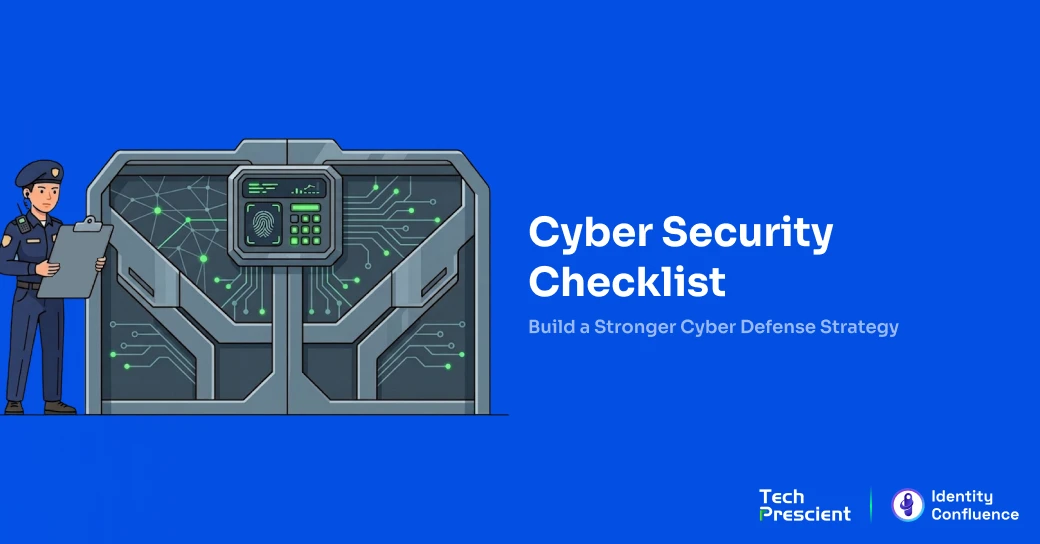
A cybersecurity checklist helps organizations reduce risk, improve compliance, and protect identities, devices, and data from modern threats. It's a documented list of security controls verified quarterly to confirm they actually work. According to IBM research, the average data breach costs $4.44 million. Most organizations have security policies but lack the execution. This checklist works for enterprises and small businesses alike.
In 2026, cybersecurity is no longer just IT hygiene - it is identity-first risk management. Most modern breaches begin with compromised credentials, excessive access, or unverified permissions.
Key Takeaways:
- Covers user access, systems, data, and response readiness
- Applicable for enterprises and small businesses
- Provides a quarterly verification framework to catch gaps before breaches occur
- Includes specific, measurable controls with concrete timelines for implementation
- Aligns with major compliance frameworks (NIST, SOX, HIPAA, GDPR, PCI-DSS)
What Is a Cybersecurity Checklist?
Most organizations struggle with nobody knowing if those policies actually work in practice. That's where checklists come in.
A cybersecurity checklist is a structured, repeatable verification framework used to confirm that security controls are implemented, functioning, and documented.
A cybersecurity checklist is a structured list of controls and best practices used to assess and improve your organization's security posture. It documents reality, not intentions. Throughout this guide, we'll walk you through the essential controls every organization needs: how employees are authenticated and what access they receive, how endpoints are protected, where network attacks typically originate, how to safeguard data in the event of a breach, and what happens when an incident occurs. Each control matters. Together, they form your defense.
Use checklists when onboarding employees, during audits, or every quarter for continuous compliance.
A cybersecurity checklist verifies that identity, system, data, and response controls are not just documented but are actively working. It transforms policies into measurable execution.
Why Every Organization Needs a Cybersecurity Checklist
Here's the uncomfortable truth: rising phishing and ransomware attacks target every business regardless of size. According to Verizon's data breach analysis, human error causes most breaches. Checklists reduce human error by forcing structured verification. They standardize controls across your organization so nothing slips through the gaps. Checklists align with major frameworks like NIST and ISO, making compliance easier. Without documented verification, permissions accumulate, patches go unapplied, and access from departed employees remains active; the checklist catches these failures before attackers do.
Security failures rarely happen because controls don't exist - they happen because no one verifies them. A checklist enforces accountability and repeatability.
Identity Risk Note:
Over-permissioned accounts and delayed deprovisioning remain among the top root causes of breaches. Identity hygiene must be reviewed quarterly.
The Complete Cybersecurity Checklist
No organization gets security right without verification. Here are the 12 controls that matter most, organized by function. Think of this as your quarterly verification roadmap.
This checklist follows an identity-first security model: secure who accesses systems, verify device trust, protect data, monitor networks, and prepare for incidents.
User & Access Security
Identity is where most breaches happen because organizations rarely verify that their passwords are actually being managed consistently. Two critical areas need attention here: first, how employees authenticate to systems (passwords and MFA), and second, what permissions they receive once authenticated (least privilege access).
Password & MFA Controls
Enable multi-factor authentication (MFA) on all admin accounts within 2 weeks and all users within 6 weeks. Enforce passwords of 12+ characters with uppercase, lowercase, numbers, and special characters. Deploy authenticator apps (never SMS; it can be intercepted). Implement a password manager to prevent credential reuse across systems. Conduct quarterly audits to confirm that zero accounts have MFA disabled. Read more on multi-factor authentication best practices.
Enhancement for 2026:
Move toward phishing-resistant MFA (FIDO2 security keys or passkeys) instead of SMS-based authentication.
Least Privilege Access
The principle of least privilege (PoLP) is to grant each employee access to only the systems required for their specific role. Automate access reviews using identity governance tools instead of manual spreadsheets. Audit all current permissions and remove access that doesn't match documented job functions immediately. Implement role-based access controls (RBAC) to automate permission assignment. Review and adjust permissions quarterly as employees change roles. Remove all access for departing employees within 24 hours of departure. Learn more about user access reviews and best practices.
Device & Endpoint Security
Every computer and server in your network is a potential entry point. The question isn't whether endpoints will be targeted; it's whether you can detect and respond when they are.
Secured endpoints prevent malware, ransomware, and credential theft. Patch all critical vulnerabilities within 14 days of vendor release and moderate severity within 30 days. Enable automatic updates for operating systems and applications on all computers. Deploy antivirus on 100% of devices and EDR (Endpoint Detection and Response) on all critical systems to catch novel attacks. Enable full-disk encryption (BitLocker for Windows, FileVault for Mac) on all devices. Configure remote wipe capability for lost or stolen devices. Test EDR detection monthly using non-malicious penetration testing to confirm visibility across all endpoints.
Endpoint security ensures devices are patched, encrypted, monitored, and capable of remote containment.
Network & Email Security
Email is where most breaches actually start. Not because email is inherently broken, but because it's the easiest way to get someone to click something they shouldn't.
Network and email defenses stop phishing, spoofing, and lateral movement. Deploy firewalls controlling traffic entering and leaving your network. Enable intrusion detection and prevention systems (IDS/IPS). Use WPA3 encryption for Wi-Fi (or WPA2-Enterprise if WPA3 is unavailable). Enforce HTTPS for all websites. Deploy email filtering to scan links and attachments before they reach users. Enable email authentication (DMARC, SPF, and DKIM) to prevent domain spoofing; encrypt sensitive emails in transit and at rest.
Data Protection & Backup
Here's a hard reality: ransomware affects 59% of organizations annually. The organizations that survive those attacks aren't the ones with perfect defenses; they're the ones with working backups. Two things matter here: having backups that actually work and making sure your data itself is protected.
Backup Strategy
Follow the 3-2-1 backup rule: Maintain three copies of critical data using two different storage types (one on-site, one cloud) with one copy geographically distant. Schedule daily automated backups. Test restoration monthly to confirm backups actually work, not just that files exist. Document backup locations and access credentials. Keep backup credentials separate from regular credentials so a compromised admin account can't access backups.
Data Handling
Encrypt all data at rest (stored databases, computers, and cloud storage) and in transit (emails and web traffic). Use full-disk encryption on all computers. Use HTTPS for websites and TLS for other network traffic. Use SSH instead of unencrypted Telnet for remote access. When retiring computers, use certified data destruction tools instead of file deletion, which can be recovered.
Small Business Security
Small businesses often feel like they need an enterprise security team to be secure. That's not true. You need to be disciplined about a few things rather than mediocre about everything.
Small businesses need lightweight but consistent security controls. Prioritize these four controls to prevent 90% of breaches at minimal cost. Enable MFA on all email and cloud applications because email is the attackers' main entry point. Use managed security tools for continuous monitoring instead of building an in-house SOC. Conduct employee phishing training monthly with realistic simulated attacks. Assess third-party and vendor access quarterly to confirm they still need what they have.
Small businesses can prevent most breaches by prioritizing MFA, backups, phishing defense, and vendor access reviews. Use SaaS management tools to monitor shadow IT and unused licenses.
Audit & Compliance
Audit checklists validate controls, identify gaps, and support compliance certification. Conduct quarterly internal audits before annual compliance audits. Review all security policies and confirm they're current. Assess network security by testing firewalls and monitoring systems. Audit access controls by confirming permissions match documented roles. Validate backup procedures by testing actual restoration. Evaluate security awareness training completion and phishing simulation results. Document all findings with dates and assigned remediation owners.
Is Your Identity Posture Audit-Ready?
Take our free Identity Security Assessment to identify gaps in access controls, orphaned accounts, and compliance risks.
Incident Response & Security Awareness
Most organizations don't have an incident response plan until after their first breach. By then, it's too late to think clearly about what to do.
Prepared teams respond faster and reduce breach impact significantly. Document everything before incidents occur. Maintain a documented incident response plan defining incident classification, escalation procedures, customer notification steps, law enforcement contacts, forensic preservation steps, and communication templates. Conduct tabletop exercises quarterly where your team performs incident response procedures to identify what breaks before a real breach. Run phishing simulations monthly to test employee awareness. Document incident reporting workflows so employees know exactly what to do when they suspect a breach.
Cybersecurity Checklist Templates & Formats
If you won't use your checklist regularly, there's no point in creating one. Choose a format that your team will genuinely stick to because it matters more than you might think.
Templates help teams standardize security checks and track improvements over time. Choose one format and maintain consistency quarterly.
- Use the cybersecurity checklist PDF for teams needing unchanging guidance across multiple locations.
- Use the cybersecurity checklist XLS (Excel) for teams that need calculations and trend charts.
- Use cybersecurity checklist template variants by industry (healthcare variations incorporate HIPAA specifics, and financial variations incorporate PCI-DSS requirements).
- Use cybersecurity assessment checklist software that connects activities to supporting documentation and automatically gathers audit evidence.
Final Thought
Locating breaks with a cybersecurity checklist matters, yet completion is what's important. Most firms comprehend what they must do, yet struggle with completion. Permission checking stretches into months. Elimination requires much extension. Documentation gathering transpires in crisis mode before verification rather than continuously.
Ready to automate your cybersecurity processes?
See how Identity Confluence continuously verifies access, enforces least privilege, and prepares you for audit day automatically.
FAQs
Five control categories: identity and access management (who accesses what), endpoint security (computers and servers), data protection (encryption and backups), network security (firewalls and email filtering), and incident response (documented procedures). Your checklist should address all five.
Review quarterly for operational security or after major system changes. Annual reviews usually satisfy formal compliance requirements. Document each review with dates and findings.
Checklists document what you checked. Compliance requires third-party verification. Use checklists quarterly internally and annual third-party audits for formal certification.
A checklist equals preparation and internal assessment at no cost. An audit equals third-party validation costing $20,000 to $100,000 annually, required for compliance certification.
Yes, especially for reducing basic risk and human error. These controls cost under $5,000 and prevent 90% of breaches small businesses face.
Share



Brinda Bhatt
Digital Marketing Strategist
A Digital Marketing Strategist who makes complex identity governance accessible to security and technology leaders through clear, data-driven content. Her insight-led, audience-focused approach supports Tech Prescient's mission of redefining identity security for modern enterprises.
Most Popular Blogs
Identity Security· 21 min read
Data Access Governance Solutions: How to Secure Sensitive Data at Scale
Compare data access governance solutions for 2026: how DAG platforms discover sensitive data, run access reviews, automate remediation, and prove compliance.
Brinda Bhatt· September 7, 2026
Identity Security· 24 min read
What Is Zero Trust Network Access (ZTNA)?
Learn what Zero Trust Network Access (ZTNA) is, how it works, and why it’s replacing VPNs for secure, identity-based access control.
Yatin Laygude· August 14, 2026
Identity Security· 24 min read
Cyber Essentials Certification: Complete Guide
Learn Cyber Essentials certification, cost, requirements, and steps. Compare Cyber Essentials vs Plus and get certified faster.
Yatin Laygude· August 10, 2026