




On this page
See Tech Prescient in Action
Automate access, reduce risk, and stay audit-ready
User Lifecycle Management solution automates how organizations provision, modify, and revoke user access across systems as employees join, move roles, or leave. The best ULM platforms in 2026 combine joiner–mover–leaver automation with governance, compliance controls, and deep HR–IAM integrations.
Managing user access across multiple systems is no small task. Employees join, move roles, take on temporary access, and leave, and most organizations still rely on static rules, tickets, or fragmented automation to keep up. The result? Over-privileged users, orphaned accounts, delayed updates, and audit headaches.
To overcome these challenges faced by many organizations, we looked closely at how modern User Lifecycle Management (ULM) solutions are actually being used in the real world, and why teams increasingly rely on them. User Lifecycle Management ensures that the right access is granted on day one, updated as roles or responsibilities change, and fully revoked at exit across every system a user interacts with. In today's cloud-first, SaaS-heavy environments, ULM has shifted from an operational task to a core identity control.
This list has been curated through extensive market research and evaluation of leading User Lifecycle Management platforms and enterprise user lifecycle management solutions, focusing on lifecycle automation depth, integration coverage, scalability, compliance readiness, and real-world customer feedback. It serves as a practical guide for IT and security leaders to compare proven ULM solutions and select the right platform based on organizational size, complexity, and identity maturity, starting with the tools shaping enterprise identity operations in 2026.
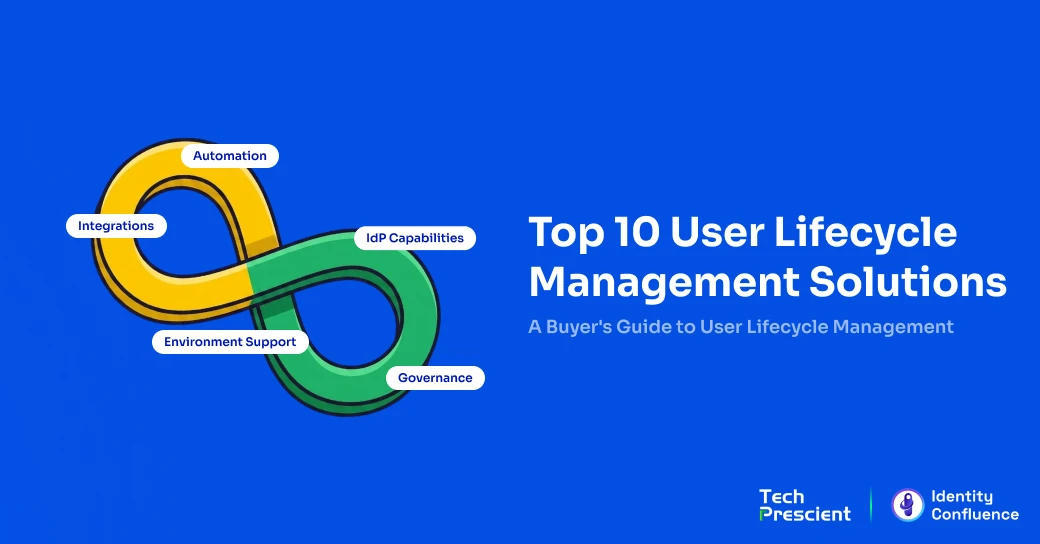
Top 10 User Lifecycle Management Software & Tools (2026)
The best user lifecycle management software in 2026 includes Tech Prescient's Identity Confluence, SailPoint, Saviynt, Microsoft Entra ID, and Okta Lifecycle Management, depending on identity complexity and governance requirements. Below is a detailed comparison based on automation depth, integration breadth, compliance readiness, and scalability.
1. Tech Prescient – Identity Confluence
Identity Confluence is a next-generation Identity Governance platform that unifies user lifecycle automation, access governance, and compliance. Positioned above traditional IAM and provisioning tools, it centralizes lifecycle decisions through policy-driven orchestration across HR systems, IdPs, and 250+ enterprise apps. This governance-led approach compresses provisioning timelines from days to minutes, minimizes access drift, and keeps organizations continuously audit-ready as identity ecosystems scale.
How Identity Confluence Approaches Governance
Most IGA platforms focus on automating provisioning. Identity Confluence automates governance itself.
It centralizes decisions regarding when and why access should be granted, changed, or removed, applying those decisions consistently across the organization. When HR events such as onboarding or role changes occur, Identity Confluence evaluates policies once at the governance layer and enforces them immediately across all connected systems.
By separating policy from underlying infrastructure, governance rules remain stable even as applications or identity providers change, eliminating the need to rebuild lifecycle logic.
Example: A role change recorded in Workday automatically updates access in Azure AD, Salesforce, and ServiceNow in real time, without manual intervention.

Sumod Tarkunde
Business Analyst
Key Features
- End-to-End Lifecycle Automation: Orchestrates joiner–mover–leaver events across HR, identity, and application systems in minutes.
- Policy-Driven Governance: Defines access rules once and enforces them uniformly across all systems.
- 250+ Native Integrations: Supports HRIS (Workday, SAP SuccessFactors), identity providers (Okta, Entra ID), and SaaS platforms.
- Unified Human + Non-Human Identity Governance: Manages service accounts, bots, and API keys with the same rigor as user accounts.
- AI-Driven User Access Reviews (UARs): Automatically surfaces high-risk access and provides AI recommendations for reviewers.
- Automated Audit Evidence: Generates real-time audit trails and compliance reports (SOX, GDPR, ISO 27001, HIPAA, SOC 2).
- Zero-Rip Implementation: Works with existing IAM stack; deploys in 2–4 weeks.
Pros
- Rapid deployment; fully operational in 2–4 weeks
- Eliminates manual provisioning and review fatigue
- Works with, not against, existing IAM systems
- Built-in Non-Human Identity governance (rare differentiator)
- AI-assisted certifications reduce review time by 60–80%
- Scales efficiently across global and hybrid environments
Cons
- Best value is realized in environments with mature identity foundations
- Requires initial planning to define lifecycle and access policies
Best For
Organizations of any size managing user access across multiple systems that want centralized, scalable lifecycle management without replacing their existing IAM setup.
2. Microsoft Entra ID - Best for Microsoft-Centric Environments, Limited for Cross-Ecosystem Governance
Microsoft Entra ID (formerly Azure AD) provides native user lifecycle management through Lifecycle Workflows and identity governance capabilities tightly integrated with Microsoft 365 and Azure services. It enables organizations already standardized on Microsoft to automate joiner–mover–leaver processes using directory and HR-driven events.
While powerful within the Microsoft ecosystem, Entra's lifecycle capabilities are most effective when access management is centered around Microsoft-native applications and services.
Key Features
- Lifecycle Workflows for joiner, mover, and leaver automation
- Native integration with Microsoft 365, Azure, and Entra ID
- HR-driven provisioning and deprovisioning
- Access packages and entitlement management
- Periodic access reviews and certifications
- Integration with Power Automate and Graph API
- Audit logs aligned with Microsoft compliance frameworks
Pros
- Deep, native integration with Microsoft environments
- Strong baseline governance and access review capabilities
- Lower operational friction for Microsoft-first organizations
Cons
- Limited flexibility outside the Microsoft ecosystem
- Lifecycle workflows for non-Microsoft SaaS are still evolving
- Full governance functionality is included in higher-tier licensing plans
Best For
Enterprises standardized on Microsoft 365 and Azure want native lifecycle automation without relying on third-party tools.
3. Okta Lifecycle Management- Best for SaaS-heavy Okta stacks, Limited for Non-SCIM governance
Okta Lifecycle Management extends Okta's identity platform to automate provisioning, role changes, and deprovisioning across SaaS applications using SCIM and Okta Workflows. It is designed to manage user access as identities change across cloud-first environments.
Okta excels where applications support modern identity standards, but often relies on additional tooling to cover non-SCIM or disconnected systems.
Key Features
- HR-driven provisioning and deprovisioning
- SCIM-based user and group management
- Okta Workflows for custom lifecycle logic
- Role- and group-based access assignments
- Integration with Okta Identity Governance
- Event-driven access updates
- Broad SaaS integration ecosystem
Pros
- Strong SaaS ecosystem and integration coverage
- Flexible workflow automation via no-code tools
- Well-suited for cloud-first identity strategies
Cons
- Limited reach for non-SCIM or legacy applications
- Workflow complexity increases at scale
- Often requires complementary tools for full coverage
Best For
SaaS-heavy mid-to-large enterprises that use Okta as their primary identity provider.
4. SailPoint IdentityNow- Best for Enterprise lifecycle governance, Limited for Lightweight deployments
SailPoint IdentityNow is a cloud-based identity governance platform focused on policy-driven lifecycle management, access certifications, and least-privilege enforcement. It is built to handle complex identity environments with strong compliance and audit requirements.
Lifecycle management in SailPoint is tightly coupled with governance controls, making it well-suited for enterprises where access decisions must be continuously reviewed and validated.
Key Features
- Policy-based lifecycle automation
- Access certifications and periodic reviews
- Role modeling and entitlement governance
- AI-driven access recommendations
- Segregation of duties enforcement
- Compliance reporting and audit trails
- Scalable governance framework
Pros
- Deep governance and compliance capabilities
- Strong access review and certification workflows
- Proven at enterprise scale
Cons
- Heavier operational overhead compared to lighter tools
- Longer implementation timelines
- More complex than needed for basic lifecycle needs
Best For
Large, regulated enterprises with mature IAM programs.
5. Saviynt Enterprise Identity Cloud- Best for Regulated enterprises, Limited for Small identity teams
Saviynt Enterprise Identity Cloud is an IGA platform designed to manage complex identity environments across workforce, vendor, and non-human identities. User lifecycle management is tightly integrated with risk-based access controls and segregation-of-duties policies.
Saviynt is often chosen for its depth and flexibility, particularly in highly regulated environments with complex approval and compliance requirements.
Key Features
- Joiner–mover–leaver automation with risk scoring
- Access request and approval workflows
- Segregation of duties enforcement
- Governance for human and machine identities
- Periodic certifications and attestations
- Compliance dashboards and reporting
- Cloud and hybrid environment support
Pros
- Strong coverage for complex and regulated environments
- Unified governance across multiple identity types
- Advanced risk and compliance controls
Cons
- Long setup and implementation cycles
- Higher operational and licensing costs
- Steeper learning curve for administrators
Best For
Large enterprises with complex identity environments and strict regulatory requirements.
6. IBM Security Verify- Best for Risk-based lifecycle automation, Limited for SaaS-first simplicity
IBM Security Verify combines identity governance, access management, and risk-based controls within IBM's broader security portfolio. Its lifecycle management capabilities emphasize adaptive access decisions based on user context and risk signals.
The platform is often adopted by enterprises already invested in IBM's security ecosystem.
Key Features
- Risk-based lifecycle and access controls
- Adaptive access policies
- Identity governance and certifications
- Integration with IBM security tools
- Hybrid and on-premises support
- Audit and compliance reporting
Pros
- Strong risk-aware access controls
- Suitable for hybrid and legacy environments
- Enterprise-grade security posture
Cons
- Less intuitive UI compared to newer platforms
- Slower innovation cadence
- Heavier footprint for smaller teams
Best For
Enterprises using IBM security solutions that prioritize risk-based access decisions.
7. OneLogin- Best for Mid-market lifecycle automation, Limited for Deep enterprise governance
OneLogin provides identity and access management with built-in lifecycle automation for onboarding, role changes, and offboarding. It offers a simpler alternative to larger enterprise platforms while covering core lifecycle needs.
The platform balances ease of use with sufficient automation for mid-sized organizations.
Key Features
- HR-driven provisioning and deprovisioning
- Role-based access management
- Directory and SaaS integrations
- Lifecycle automation policies
- Access reporting and audit logs
- MFA and SSO integration
Pros
- Easier to deploy than large IGA platforms
- Good balance of features and usability
- Lower operational overhead
Cons
- Limited advanced governance features
- Less suitable for highly regulated enterprises
- Smaller integration ecosystem than Okta
Best For
Mid-market organizations seeking straightforward lifecycle automation.
8. JumpCloud- Best for SMBs and device-driven lifecycles, Limited for Enterprise-scale governance
JumpCloud combines directory services, device management, and identity lifecycle automation into a single platform. It manages users across devices, applications, and systems with a strong focus on endpoint-driven access control.
Lifecycle management in JumpCloud is closely tied to device and directory management.
Key Features
- User provisioning and deprovisioning
- Device-based access controls
- Cloud directory services
- Cross-platform device management
- Role-based access policies
- Audit logs and reporting
Pros
- Strong device and identity convergence
- Simple setup for smaller teams
- Cost-effective for SMBs
Cons
- Limited enterprise governance capabilities
- Not designed for large-scale IAM complexity
- Fewer advanced lifecycle scenarios
Best For
SMBs and growing organizations that prioritize device-centric access management.
9. miniOrange- Best for Customizable IAM lifecycles, Limited for Plug-and-play governance
miniOrange offers an IAM platform with provisioning, lifecycle automation, and SSO capabilities across cloud and on-prem environments. It provides flexibility through extensive connector support and customizable workflows.
The platform is often used where cost efficiency and customization are key considerations.
Key Features
- User provisioning and deprovisioning
- Role-based lifecycle automation
- SSO and MFA integration
- Support for cloud and on-prem systems
- Custom workflow configuration
- Audit logging and reports
Pros
- Flexible and customizable
- Broad protocol and deployment support
- Competitive pricing
Cons
- UI and UX are less polished
- Governance depth varies by deployment
- Limited enterprise-scale governance features
Best For
Organizations that need flexible IAM deployments while balancing cost and functionality.
10. ConductorOne- Best for Modern access governance, Limited for Complex lifecycle orchestration
ConductorOne is a modern identity governance platform focused on simplifying access requests, reviews, and lifecycle changes. It emphasizes usability and faster deployment compared to traditional IGA platforms.
Lifecycle management is designed to be lightweight and accessible, rather than deeply complex.
Key Features
- Access request and approval workflows
- Automated joiner–mover–leaver processes
- Periodic access reviews
- Integration with modern SaaS tools
- Clean, modern user interface
- Audit-friendly reporting
Pros
- Fast time to value
- Strong user experience
- Lower operational complexity
Cons
- Limited support for highly complex environments
- Not designed for deep legacy integrations
- Governance depth may not meet large enterprise needs
Best For
Cloud-native organizations seeking lightweight governance and lifecycle control.
Comparison Table: User Lifecycle Management Solutions
| Tool Name | Best For | Core ULM Capability | Deployment Model | Compliance & Governance Support | Ideal Org Size |
|---|---|---|---|---|---|
| Tech Prescient – Identity Confluence | End-to-end lifecycle governance | Centralized lifecycle orchestration with access governance | Cloud / Hybrid | Strong (certifications, audit trails, policy enforcement) | SMEs to Enterprise |
| Microsoft Entra ID | Microsoft-centric environments | HR-driven lifecycle workflows within Microsoft ecosystem | Cloud | Moderate (Microsoft-native governance) | Mid-market to Enterprise |
| Okta Lifecycle Management | SaaS-heavy organizations | Automated provisioning across cloud apps | Cloud | Moderate (limited deep governance) | Mid-market to Enterprise |
| SailPoint IdentityNow | Enterprise lifecycle governance | Policy-driven lifecycle + access certifications | Cloud | Strong (enterprise-grade governance) | Large Enterprises |
| Saviynt Enterprise Identity Cloud | Regulated enterprises | Lifecycle automation with compliance controls | Cloud / Hybrid | Very strong (regulatory-focused governance) | Large & Regulated Orgs |
| IBM Security Verify | Risk-driven access environments | Risk-based lifecycle automation | Hybrid | Strong (risk and compliance alignment) | Large Enterprises |
| OneLogin | Mid-market lifecycle management | Basic joiner–mover–leaver automation | Cloud | Basic to Moderate | Mid-market |
| JumpCloud | Device-centric SMBs | User + device lifecycle coordination | Cloud | Basic | SMBs |
| miniOrange | IAM-first lifecycle automation | Lifecycle workflows within IAM suite | Cloud / Hybrid | Moderate | SMB to Mid-market |
| ConductorOne | Modern, lightweight governance | Approval-centric lifecycle governance | Cloud | Moderate (focused governance) | Mid-market |
We evaluated User Lifecycle Management solutions based on the depth of lifecycle automation they offer, the breadth of integrations across HR, identity, and application ecosystems, and how well they balance governance with execution. We also considered scalability across growing environments and real-world customer feedback to assess enterprise readiness and long-term reliability.
How to Choose the Right User Lifecycle Management Solution
Choosing the right user lifecycle management software depends on identity complexity, number of connected systems, compliance obligations, and long-term scalability requirements. The right platform should align with both your current IAM maturity and future governance goals.
This forward-looking approach aligns with Gartner's guidance. Best practices consistently emphasize evaluating how well a platform aligns with your organization's current identity complexity, and how that complexity is likely to evolve over the next three to five years. The questions below reflect the most common factors organizations assess when comparing user lifecycle management software, tools, and products for enterprise environments.
- What is the complexity of your users? If your organization manages frequent role changes, contractors, rehires, or non-standard employment models, basic onboarding and offboarding automation won't be enough. In these scenarios, joiner–mover–leaver (JML) automation must extend beyond entry and exit to cover ongoing access changes. Effective identity lifecycle management requires a user access lifecycle management platform that governs access throughout the entire user journey, not just isolated lifecycle events.
- How many systems does ULM need to coordinate across? The value of enterprise user lifecycle management increases sharply as access decisions span HR systems, identity providers, and large application ecosystems. Many enterprises today manage access across 50 to 500+ applications, each with distinct provisioning and entitlement models. At this scale, user lifecycle management tools must function as orchestration and governance layers, applying consistent lifecycle logic across systems to prevent access silos, drift, and fragmented enforcement. This is where identity orchestration and centralized lifecycle governance become critical.
- What level of compliance and audit readiness is required? Organizations subject to regulations such as SOX, HIPAA, GDPR, or ISO 27001 should prioritize user lifecycle management platforms with built-in audit trails, access certifications, and policy-based enforcement, including segregation of duties (SoD) controls. When audit evidence relies on manual processes or spreadsheets, both access risk and operational effort increase. Automating access lifecycle governance enables continuous audit readiness, reduces compliance gaps, and shifts identity teams from reactive reporting to proactive control.
- Is your environment cloud-first, hybrid, or legacy-heavy? Some user lifecycle management products perform best in SaaS-heavy, cloud-native environments, while others are designed to support hybrid or legacy systems. Long-term effectiveness depends on how well the ULM software adapts to different deployment models and integrates with diverse systems, including on-prem directories, modern SaaS applications, and custom platforms.
- How mature is your identity program today? Identity programs evolve through maturity stages, from basic SSO and HR-driven identity workflows to centralized governance, and eventually toward Zero Trust access models. In early stages, lightweight user provisioning and deprovisioning tools may be sufficient. As maturity increases, organizations need full user lifecycle management capabilities to govern ongoing access changes, enforce policies, and prevent access sprawl. At this stage, ULM becomes a core IGA and identity lifecycle management function rather than a standalone automation layer.
Key Capabilities to Look For in a User Lifecycle Management Tool
Effective ULM platforms combine automated joiner–mover–leaver workflows with governance controls, policy enforcement, and integration across HR, identity providers, and business applications.
Not all ULM platforms are designed for the same outcomes. The most effective solutions combine automation with governance, ensuring access stays accurate as users and organizations change.
Must-have capabilities
- Automated joiner–mover–leaver workflows
- Role- and policy-based access assignment
- Integration with HR systems and identity providers
- Reliable deprovisioning and access revocation
- Centralized visibility into user access changes
Nice-to-have capabilities
- Access certifications and periodic reviews
- Support for temporary or conditional access
- Custom workflow orchestration across systems
- Advanced reporting and compliance dashboards
Red flags to watch for
- Manual intervention required for common role changes
- Limited visibility into access updates after onboarding
- Weak or inconsistent deprovisioning workflows
- Audit evidence spread across multiple tools
Final Thoughts
User Lifecycle Management has become a foundational control for modern identity programs. As organizations adopt cloud infrastructure (IaaS), SaaS applications, and hybrid environments, manual or ticket-driven user access lifecycle management processes introduce risk, slow down access changes, and lead to inconsistent enforcement across systems.
Leading user lifecycle management platforms go far beyond basic onboarding and offboarding. They provide continuous identity lifecycle management and access governance across the full joiner–mover–leaver lifecycle, reducing over-privileged access, improving audit readiness, and ensuring access decisions remain aligned with business roles as they evolve over time.
As identity environments scale, many organizations find that basic provisioning tools struggle to manage ongoing access changes and governance consistently. Teams looking to centralize lifecycle decision-making, without replacing existing IAM platforms like Okta or Microsoft Entra ID, often evaluate governance-led solutions.
Identity Confluence is designed for organizations that want lifecycle management to be policy-driven, audit-ready, and scalable as identity complexity grows.
FAQs
User Lifecycle Management (ULM) is the process of automatically provisioning, modifying, and revoking user access as employees join, change roles, or leave an organization. It ensures access remains aligned with business roles and security policies across all systems.
Basic provisioning creates and deletes user accounts. ULM goes further by managing ongoing access changes, temporary access, role transitions, approvals, certifications, and clean deprovisioning throughout the entire user lifecycle.
No. While large enterprises require advanced governance, mid-sized and fast-growing organizations benefit from ULM by reducing manual work, accelerating onboarding, and preventing access sprawl as application ecosystems grow.
No. ULM is a core capability within IAM and IGA programs. It enhances identity platforms by managing how access evolves over time according to policies, compliance requirements, and business changes.
Poor lifecycle management leads to over-privileged accounts, delayed deprovisioning, orphaned accounts, compliance gaps, and increased insider threat risk, especially in dynamic or multi-role environments.
Share



Rashmi Ogennavar
Content Strategist
A content strategist translating complex Tech and SaaS concepts into compelling narratives for business and technical audiences. With a strategic, data-informed approach, the work bridges content and product storytelling, crafting messaging that resonates and drives decisions across the buyer journey.
Most Popular Blogs
Identity Security· 21 min read
Data Access Governance Solutions: How to Secure Sensitive Data at Scale
Compare data access governance solutions for 2026: how DAG platforms discover sensitive data, run access reviews, automate remediation, and prove compliance.
Brinda Bhatt· September 7, 2026
Identity Security· 24 min read
What Is Zero Trust Network Access (ZTNA)?
Learn what Zero Trust Network Access (ZTNA) is, how it works, and why it’s replacing VPNs for secure, identity-based access control.
Yatin Laygude· August 14, 2026
Identity Security· 24 min read
Cyber Essentials Certification: Complete Guide
Learn Cyber Essentials certification, cost, requirements, and steps. Compare Cyber Essentials vs Plus and get certified faster.
Yatin Laygude· August 10, 2026