




On this page
See Tech Prescient in Action
Automate access, reduce risk, and stay audit-ready
User access management (UAM) is the process of controlling who can access systems, applications, data, and ensuring that access remains appropriate throughout the user lifecycle. It includes provisioning, role changes, deprovisioning, policy enforcement, and continuous visibility into permissions.
User access management has become one of the toughest challenges for modern organizations. As businesses expand across cloud platforms, SaaS applications, and hybrid work environments, traditional user access management systems built on static roles, ticket-based requests, and manual approvals struggle to keep up. The result is familiar to many teams: delayed access for users, over-privileged accounts, growing compliance pressure, and limited visibility into who actually has access to critical systems.
So how do you keep access secure, auditable, and efficient as your environment grows? This is where modern user access management solutions make a real difference. The right user access management tool helps automate access provisioning, reduce manual effort, and improve visibility across systems. For IT and security teams, this means fewer access-related risks, smoother audits, and a better balance between user productivity and compliance.
To help enterprises choose the right solution, we have come up with a curated list of user access management vendors for 2026. This list is based on in-depth market research and real-world enterprise adoption trends, with a focus on how these tools perform in practical, day-to-day environments. Each solution has been evaluated for functionality, governance depth, and usability, helping organizations make informed, future-ready decisions without getting lost in feature hype.
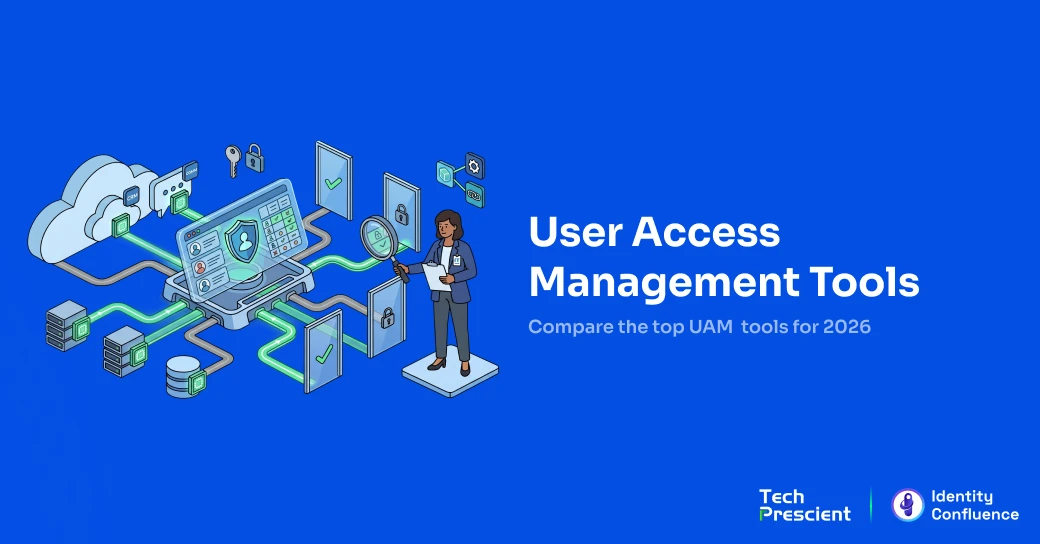
The 10 Best User Access Management Solutions
User access management tools help organizations automate provisioning, enforce least-privilege access, and maintain audit-ready visibility across cloud and on-prem systems. Below are the top platforms evaluated based on governance depth, scalability, lifecycle automation, and enterprise adoption.
1. Tech Prescient (Identity Confluence) - Best for Growing and Complex Enterprise Environments
Identity Confluence is an enterprise-grade Identity Governance and Administration (IGA) platform designed to automate user access, enforce compliance, and deliver strong governance and control across complex identity environments. Built for large-scale hybrid and multi-cloud organizations managing 150+ applications, it uses AI-driven identity intelligence to streamline access provisioning, modifications, and revocation while continuously evaluating access risk.
Rather than replacing existing identity providers, Identity Confluence acts as a centralized governance layer that integrates with current IdPs and access systems across cloud, SaaS, and on-premises environments. With 250+ integrations, policy-driven automation, and enterprise-scale auditing and compliance capabilities, it enables organizations to govern access consistently while scaling securely as environments grow.
It is designed for organizations where access sprawl, manual workflows, and fragmented controls begin to limit security, compliance, and operational efficiency.
Key Features
- Automated provisioning and de-provisioning ensures users receive the right access and lose it instantly when no longer needed.
- Identity Lifecycle Management (JML) automates user access from onboarding to role changes and offboarding.
- Intelligent user access reviews (UARs) focus reviewer attention on high-risk users and entitlements.
- Self-service access requests with approval workflows allow users to request access while maintaining governance.
- Context-aware decision support helps reviewers make faster and more accurate access approval decisions.
- Role-based and policy-based access control (RBAC/PBAC) enforces least-privilege access across applications.
- Segregation of duties (SoD) enforcement prevents conflicting access combinations through policy controls.
- Non-human identity governance manages and secures service accounts, bots, and machine identities.
- A universal application sync framework enables seamless integration with enterprise systems and platforms.
- Automated audit evidence delivers real-time audit trails and compliance-ready reports for SOX, GDPR, ISO 27001, HIPAA, and SOC 2.
Pros
- Strong focus on unified access governance rather than siloed controls.
- Reduces manual access workflows through automation and orchestration.
- Improves visibility into access across complex environments.
- Supports audit and compliance requirements with continuous controls.
- Designed to scale with growing application and identity complexity.
Cons
- Advanced governance and policy capabilities may be more than what very small teams or basic access use cases require.
- Organizations without clearly defined access policies or role structures may need initial governance alignment to fully realize platform value.
Need a Faster Way to Evaluate Solutions?
Use our side-by-side UAM comparison table to shortlist the best fit for your organization.
2. Okta - Best for SaaS-Heavy and Cloud-First Organizations
Okta is a cloud-based identity and access management platform primarily used for workforce single sign-on (SSO) and authentication. It is commonly adopted by organizations with SaaS-heavy environments looking to centralize user access through a single identity layer.
The platform is designed for IT and security teams managing access across multiple cloud applications, with a strong focus on SSO and directory-based access control.
Key Features
- Workforce single sign-on across cloud applications
- Application integrations via an app catalog
- User provisioning and deprovisioning workflows
- Centralized user access dashboard
Pros
- Consistent single sign-on setup across supported applications
- Centralized access point for end-user applications
- Reduces password-related support and login friction
- Broad adoption and ecosystem support
Cons
- App catalog integrations may require custom setup to work reliably
- Limited native visibility into unmanaged or shadow IT applications
- Initial configuration and workflow setup can be complex
- Advanced automation and reporting features are tied to higher pricing tiers
- Less suitable for purely on-premises environments or smaller teams with limited budgets
3. Microsoft Entra ID (Formerly Azure AD) - Best for Microsoft-Centric Ecosystems
Microsoft Entra ID is Microsoft's cloud identity and access management service used to control user authentication and access across Microsoft and non-Microsoft applications. It is most commonly adopted by organizations already operating within the Microsoft ecosystem.
The platform is designed for IT and security teams managing workforce access across Microsoft 365, Azure, and connected enterprise applications.
Key Features
- Single sign-on for Microsoft and third-party applications
- Conditional access and authentication policies
- User and group-based access controls
- API-driven automation via Microsoft Graph
Pros
- Quick and straightforward setup for single sign-on (SSO) and basic access policies
- Works well with Microsoft 365 and Azure environments
- API-based automation enables integration with IT and DevOps tools
- Backed by Microsoft's long-term product roadmap
Cons
- Advanced identity and governance features may require additional licenses, making costs harder to estimate
- Using both workforce and customer identity features can add configuration complexity
- Limited flexibility in MFA customization across authentication scenarios
- Connecting non-Microsoft applications can require extra effort and increase reliance on Microsoft tools
4. Ping Identity - Best for Hybrid and Federated Identity Management
Ping Identity is an enterprise-focused identity platform commonly used for federated authentication and hybrid access scenarios. It is typically adopted by organizations that need to support both cloud and on-premises applications with centralized authentication.
The platform is built for security teams managing complex identity environments that require standards-based federation and flexible deployment options.
Key Features
- Single sign-on (SSO) for cloud and on-premises applications
- Adaptive multi-factor authentication (MFA)
- Federation and identity standards support
- API-based integration and extensibility
Pros
- Enables single sign-on across connected applications
- Adaptive authentication improves access security
- Supports hybrid and federated identity use cases
- Allows integration with enterprise systems through APIs
Cons
- Administration is spread across multiple interfaces, which can affect day-to-day usability
- Limited access to raw logs can restrict troubleshooting and investigation
- Setup and configuration involve a complex process that requires extensive technical expertise and training resources
- Implementation and ongoing costs can be higher, making it less suitable for smaller organizations
- Support experience and service reliability can vary
- Primarily suited for large enterprise environments
5. OneLogin - Best for Mid-Market User Lifecycle Needs
OneLogin is a cloud-based identity and access management platform focused on single sign-on and basic user provisioning. It is commonly used by mid-sized organizations looking to centralize access to applications through a single portal.
The platform is designed for IT teams that need straightforward access management without the complexity of large enterprise IAM deployments.
Key Features
- Single sign-on through a centralized user portal
- SCIM-based user provisioning
- Directory and role-based access mapping
- Application access management for SaaS tools
Pros
- Centralized portal simplifies access to multiple applications
- SCIM provisioning supports common user lifecycle needs
- Directory integration and role mapping are straightforward
- Suitable for environments with relatively simple access requirements
Cons
- Platform reliability and occasional service disruptions have been reported
- User interface performance can feel slow in larger deployments
- API capabilities are limited compared to more advanced IAM platforms
- Less intuitive for non-technical users without additional guidance
6. JumpCloud - Best for SMBs and Device-Led Access Control
JumpCloud is a cloud-based directory and access management platform designed to help IT teams manage users, devices, and access from a central console. It is commonly used by small to mid-sized organizations that need cross-platform access control without traditional on-prem directories.
The platform is built for IT-led teams that want centralized administration across Windows, macOS, Linux, and cloud applications.
Key Features
- Cloud directory for user and device management
- Cross-platform access control and authentication
- Role-based access and policy enforcement
- Integrations with SaaS applications and IT tools
Pros
- Works consistently across multiple operating systems
- Provides granular controls with usable default configurations
- Brings enterprise-style administration to smaller IT teams
- Flexible enough to grow with expanding environments
Cons
- Initial setup and configuration can feel complex for non-specialist admins
- Managing unmanaged or pre-existing local accounts can be challenging
- Certain security policies may restrict advanced user workflows
- Reporting, auditing, and scripting features require higher technical expertise
7. ManageEngine AD360 (Active Directory–Centric UAM Suite) - Best for Active Directory-Centric Access Management and Reporting
ManageEngine AD360 is an Active Directory–centric user access management suite designed to manage, audit, and report on identities and permissions across on-prem AD and connected Microsoft environments. It is commonly used by organizations with a strong dependency on Windows-based identity infrastructure.
The platform is built for IT teams that need centralized visibility and control over AD users, groups, and permissions.
Key Features
- Centralized Active Directory user and group management
- Reporting and auditing across AD, Azure AD, and Microsoft 365
- Automation workflows for common AD tasks
- Scheduled reports and alerting
Pros
- Extensive reporting and auditing capabilities for AD environments
- Supports bulk changes and administrative actions at scale
- Automation workflows help reduce repetitive AD tasks
- Consolidates identity data from multiple Microsoft directories
Cons
- Automation reliability can be impacted by product updates or patches
- Bugs in automation workflows can have wide-reaching operational impact
- Performance issues such as high resource usage and slow response times
- Upgrades and troubleshooting can be time-consuming, with inconsistent support experiences
8. SailPoint Identity Security (Access Governance Platform) - Best for Enterprise Access Governance
SailPoint Identity Security is an identity governance platform focused on access reviews, certifications, and policy-based access control. It is widely used by large enterprises that require structured governance and compliance-driven access oversight.
The platform is designed for security and governance teams managing complex entitlement models and regulatory requirements.
Key Features
- Access reviews and certification campaigns
- Role and entitlement governance
- Identity analytics and insights
- API-based integration and automation support
Pros
- Strong access review and certification capabilities
- Scalable architecture suited for large enterprise environments
- APIs enable automation for governance-related workflows
- Built-in identity insights support access visibility use cases
Cons
- Configuration and troubleshooting of background jobs and system processes lack transparency
- SaaS-based connectors can be inconsistent compared to on-prem connector counterparts
- Connector documentation is often incomplete, outdated, or difficult to follow
- Customization and operational changes frequently require vendor support involvement
- Professional services experience can vary, increasing reliance on internal expertise
9. CyberArk Privileged Access Manager (PAM) - Best for Securing and Managing Privileged Accounts
CyberArk Privileged Access Manager is a security platform focused on protecting, managing, and auditing privileged accounts. It is widely used by organizations that need strong controls over administrator and high-risk access.
The platform is primarily built for security teams managing sensitive credentials and privileged sessions across critical systems.
Key Features
- Secure vault for privileged credentials
- Privileged session management and monitoring
- Endpoint privilege management controls
- Audit logging for privileged access activity
Pros
- Strong credential vaulting and privileged access controls
- Comprehensive auditing for privileged user activity
- Mature security-focused feature set
- Well-documented platform with accessible support resources
Cons
- Initial deployment and configuration can be complex and time-consuming
- User experience and administration are not always intuitive
- Reporting and privileged access reviews are limited compared to governance-focused tools
- Integrations and feature enhancements can progress slowly
10. Oracle Identity Governance (Oracle IAM Suite) - Best for Large Enterprises with Legacy Infrastructure
Oracle Identity Governance is part of Oracle's broader IAM suite, designed to manage access, authentication, and governance across complex enterprise environments. It is most commonly used by large organizations with legacy systems and on-premises infrastructure.
The platform is built for enterprises that require centralized identity controls across a wide range of applications and data centers.
Key Features
- Identity governance and access controls
- Federation and standards-based authentication
- High-availability deployment support
Pros
- Broad coverage of identity and access capabilities within a single suite
- Supports complex, large-scale enterprise environments
- Improved administrative interface in newer versions
- High-availability options for mission-critical access
Cons
- High licensing and operational costs compared to newer platforms
- On-premises deployments involve complex installation and maintenance
- Strong dependency on legacy components reduces flexibility
- Session management and authentication workflows lack modern agility
Comparison Table: User Access Management Solutions (2026)
This side-by-side comparison highlights deployment models, governance depth, compliance capabilities, and ideal organization size, helping you quickly identify the right fit based on your operational complexity.
| Sr No. | Tool Name | Best For | Core Capability | Deployment Model | Compliance Support | Ideal Org Size |
|---|---|---|---|---|---|---|
| 1 | Tech Prescient (Identity Confluence) | Unified access governance across complex environments | Centralized access governance, automation, and orchestration across SaaS, cloud, and on-prem systems | Cloud | Continuous access reviews, audit trails, policy enforcement | Growing organizations across all sizes |
| 2 | Okta | Cloud-first workforce access | Workforce SSO and basic lifecycle management | Cloud | Authentication logs, basic access controls | Mid-market to enterprise |
| 3 | Microsoft Entra ID | Microsoft-centric environments | Directory-based access control and conditional access | Cloud | Conditional access policies, audit logs | Mid-market to enterprise |
| 4 | Ping Identity | Hybrid and federated access | Federation and authentication across cloud and on-prem apps | Cloud / Hybrid | Authentication policies, access logging | Large enterprises |
| 5 | OneLogin | Mid-market access management | SSO and user provisioning via a central portal | Cloud | Basic access reporting | Small to mid-market |
| 6 | JumpCloud | IT-led SMB environments | Cloud directory with user and device access control | Cloud | Policy enforcement, basic audit logs | SMB to mid-market |
| 7 | ManageEngine AD360 | AD-driven environments | Active Directory management, reporting, and automation | On-prem / Hybrid | AD auditing and compliance reporting | Mid-market to enterprise |
| 8 | SailPoint Identity Security | Access reviews and governance | Identity governance, certifications, and entitlement management | Cloud / Hybrid | Structured access reviews and compliance workflows | Large enterprises |
| 9 | CyberArk PAM | Privileged user access | Privileged credential vaulting and session control | On-prem / Hybrid / Cloud | Privileged activity auditing | Mid-market to enterprise |
| 10 | Oracle Identity Governance | Legacy-heavy enterprises | Identity governance within Oracle IAM ecosystem | On-prem / Hybrid | Governance controls and compliance reporting | Large enterprises |
How to Evaluate and Choose a User Access Management Solution
Choosing the right user access management solution requires evaluating lifecycle coverage, automation capabilities, governance strength, and integration flexibility. The best platforms reduce manual workflows while improving visibility, compliance readiness, and access consistency.
As environments grow and access requirements change, organizations must evaluate how well a platform supports governance, visibility, automation, and operational consistency across the full access lifecycle.
The criteria below can help security and IT teams assess user access management tools and determine which approach best fits their operational and compliance needs.
1. Coverage Across the Full Access Lifecycle
Does the user access management solution manage access from onboarding to role changes to offboarding? The solution should support more than initial provisioning by continuously updating access as users change teams, take on new responsibilities, or leave the organization. Gaps in lifecycle coverage often result in lingering access and unmanaged permissions.
2. Role, Permission, and Entitlement Change Management
How frequently do user roles and permissions change in your environment? Solutions should support consistent updates to role-based access, attributes, or policies without relying heavily on manual intervention. Environments with frequent changes benefit most from policy-driven automation to prevent privilege creep.
3. Policy-Driven Versus Manual Workflows
How much manual effort exists in current access workflows? Policy-driven access reduces dependency on tickets, spreadsheets, and ad hoc approvals while still allowing controlled exceptions. Manual, ticket-heavy processes often struggle to scale and are harder to audit as environments grow.
4. Visibility Into Access and Risk
Can teams clearly see who has access to what and why? Strong visibility into access assignments, entitlements, and potential risk is critical for both security and operations. Centralized views make it easier to identify excessive access, anomalies, and outdated permissions.
5. Auditability and Compliance Requirements
How audit-heavy is the organization? Platforms should maintain detailed access histories, support periodic access reviews, and produce audit-ready evidence without relying on custom reporting. Built-in governance becomes increasingly important in regulated or compliance-driven environments.
6. Integration With Existing Systems
How closely must access management integrate with current tools? User access management does not operate in isolation. Solutions should integrate with identity providers, governance platforms, HR systems, ITSM tools, and cloud services to ensure access decisions remain aligned with employment status and organizational changes.
Which User Access Management Software Should You Choose Based on Org Size
The right user access management tool depends on organizational size, access complexity, regulatory exposure, and growth trajectory. Smaller teams need simplicity, while larger enterprises require centralized governance, policy-driven automation, and continuous audit visibility.
1. Startups and Small Teams
Smaller teams typically manage fewer applications and stable roles. Basic access management tools that focus on single sign-on (SSO) and straightforward provisioning are often sufficient at this stage, without the overhead of advanced governance.
2. Mid-Market Organizations
As organizations grow, access becomes harder to manage manually. Mid-market teams often need more automation, better visibility into permissions, and role-based controls to keep access aligned with organizational changes.

Pro Tip
Tech Prescient is well suited for organizations operating at this level of complexity. Its approach supports centralized access governance, automation, and orchestration across diverse systems. This makes it a practical choice for enterprises preparing for scale, audits, and evolving access requirements.
Large Enterprises and Regulated Environments
Large enterprises operate across many systems, roles, and identity sources, often under strict compliance requirements. These environments benefit from centralized governance, policy-driven automation, and consistent enforcement across the access lifecycle.
How Identity Confluence Approaches User Access and Fits in a Modern IAM and Security Stack
Identity Confluence delivers a policy-driven, orchestration-first approach to user access management by acting as a centralized governance layer across the IAM and security stack. It integrates with existing identity providers, directories, applications, and infrastructure to continuously align access with user roles, governance policies, and contextual signals. Joiner, mover, and leaver events trigger coordinated provisioning, modification, and automated deprovisioning across cloud, SaaS, and on-premises systems, reducing manual ticket dependency while minimizing access drift, excessive privileges, and orphaned accounts. By sitting above traditional IAM, IGA, and PAM tools, it adds unified policy enforcement, access intelligence, and audit-ready governance, making it effective for large, distributed, hybrid, and regulated enterprise environments.

Ninad Bhangui
Technical Lead
In a Nutshell
User access management in 2026 is no longer just about provisioning accounts, it is about enforcing least privilege, preventing access sprawl, maintaining continuous compliance, and enabling secure business growth.
The best user access management tools combine lifecycle automation, policy-driven governance, entitlement visibility, and seamless integration across cloud and on-prem environments.
Choosing the right platform is critical, as access complexity continues to grow and the wrong fit can introduce security gaps, operational friction, and long-term scalability challenges.
FAQs
User access management refers to how organizations control who gets access to systems, applications, and data, and how that access is provisioned, modified, and revoked over time. It plays a critical role in maintaining security, operational consistency, and compliance as environments grow more complex.
User access management system focuses specifically on controlling and governing access to resources, while IAM typically covers authentication and identity verification, and IGA emphasizes governance processes like access reviews and certifications. In practice, user access management often sits between IAM and IGA, connecting identity with access enforcement.
In 2026, organizations are managing more SaaS applications, cloud platforms, and hybrid work environments than ever before. Access changes occur frequently, and manual permission management introduces security and compliance risks. User access management helps reduce access sprawl, prevent privilege creep, and support audit readiness at scale.
Yes, but the level of sophistication depends on the organization. Smaller teams may only need basic access controls, while growing organizations benefit from automation and visibility as the number of users, applications, and role changes increases.
Organizations should prioritize solutions that align with their access complexity, provide clear visibility into permissions, support automation, and integrate with existing identity, HR, and IT systems. The right choice depends on operational needs and scale rather than feature volume.
User access management controls general employee access to systems and applications, while privileged access management (PAM) specifically secures high-risk administrative accounts with elevated permissions. PAM is typically a subset of broader access governance strategies.
Highly regulated industries such as finance, healthcare, SaaS, government, and manufacturing benefit the most from user access management tools due to strict compliance requirements, complex access environments, and frequent role changes.
Share



Yatin Laygude
Content Writer
A content writer with 6 years of experience turning complex topics into clear, engaging, and meaningful content. From blogs and web pages to whitepapers and thought pieces, he creates content that not only explains but also connects with both the audience and business goals.
Most Popular Blogs
Identity Security· 21 min read
Data Access Governance Solutions: How to Secure Sensitive Data at Scale
Compare data access governance solutions for 2026: how DAG platforms discover sensitive data, run access reviews, automate remediation, and prove compliance.
Brinda Bhatt· September 7, 2026
Identity Security· 24 min read
What Is Zero Trust Network Access (ZTNA)?
Learn what Zero Trust Network Access (ZTNA) is, how it works, and why it’s replacing VPNs for secure, identity-based access control.
Yatin Laygude· August 14, 2026
Identity Security· 24 min read
Cyber Essentials Certification: Complete Guide
Learn Cyber Essentials certification, cost, requirements, and steps. Compare Cyber Essentials vs Plus and get certified faster.
Yatin Laygude· August 10, 2026